Studio-Quality Product Photos from Text

AI Product Photography for Fashion

Generate photorealistic product shots from text descriptions. White backgrounds, editorial styling, flat lays, on-model views, and ghost mannequin photography — all without a studio, photographer, or physical sample. Five credits per image. Results in seconds.

Generated in the studio
DXF pattern, nested
DXF pattern, nested
Four angles, one garment
5s brand film, AI

Why Product Photography Decides Whether Your Fashion Brand Sells

Product photography is the single most influential factor in online fashion sales. Studies from Shopify and BigCommerce consistently show that 75% of online shoppers rely on product photos when making a purchase decision, and listings with high-quality images see conversion rates two to three times higher than those with mediocre photography. In fashion specifically, customers cannot touch the fabric, try on the garment, or assess the fit in person — the product photo is their entire basis for judgment.

Traditionally, producing these images has been expensive and slow. A single product photography session for a fashion brand involves booking a studio ($500-2,000/day), hiring a photographer ($500-1,500/day), coordinating models ($500-3,000/day for on-model shots), steaming and styling physical samples, and then waiting days or weeks for post-production editing. For a brand launching 100 SKUs per season, the photography budget alone can exceed $50,000.

AI product photography changes this equation entirely. Using Smasher Studio, you describe your garment in natural language — specifying fabric, color, silhouette, styling, and photography style — and receive a photorealistic product image in seconds. There is no physical sample required, no studio to book, no photographer to schedule. Each image costs 5 credits ($0.50), and free accounts receive 50 credits monthly. This means you can generate professional product photography for an entire collection in a single afternoon, at a fraction of the cost of a traditional shoot.

Photography Styles Available

Smasher Studio generates six distinct photography styles, each optimized for different use cases in fashion e-commerce and marketing. You select the style by describing what you need in your prompt, and the AI handles composition, lighting, and post-processing automatically.

E-Commerce Standard

Clean White Background

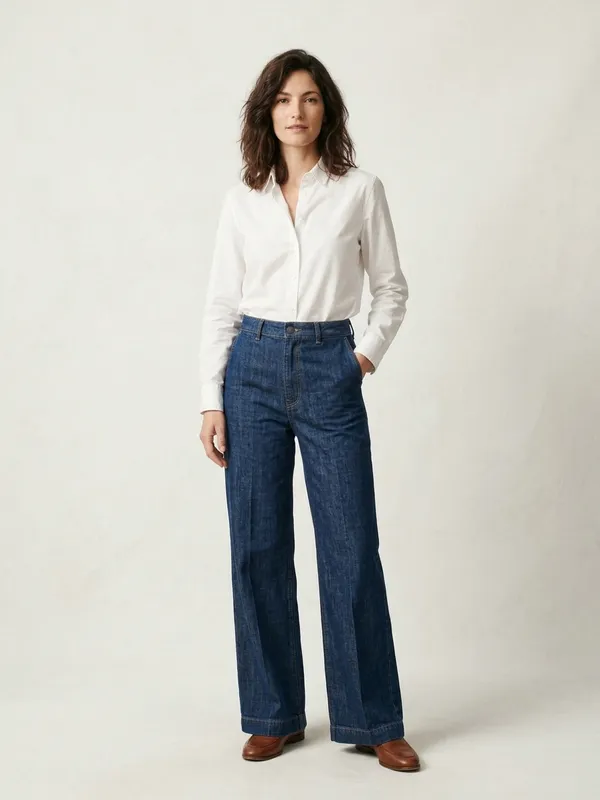
The foundation of every product listing. A pure white (#FFFFFF) background isolates your garment, removes distractions, and meets the image requirements of Amazon, Shopify, and every major marketplace. This is the shot that appears in search results and category grids. AI generates perfectly even lighting with no shadows, wrinkles, or imperfections — the kind of consistency that usually requires a lightbox setup and skilled retouching.

Brand Storytelling

Editorial / Styled

Moody, atmospheric product shots with intentional backgrounds, props, and directional lighting. Think exposed brick, morning window light, scattered accessories, or seasonal foliage. Editorial shots tell your brand story and work beautifully for homepage hero banners, email campaigns, and brand lookbooks. With AI, you can generate editorial-quality imagery in any setting without sourcing props or locations.

Social Media Favorite

Flat Lay

Overhead arrangements where garments are laid flat alongside complementary items — accessories, shoes, sunglasses, coffee cups, notebooks. Flat lays are the most shareable format on Instagram and Pinterest because they create a curated, aspirational vignette. AI handles the arrangement and perspective automatically, producing the kind of perfectly symmetrical, shadow-free flat lay that takes stylists hours to set up manually.

Fit and Movement

On-Model

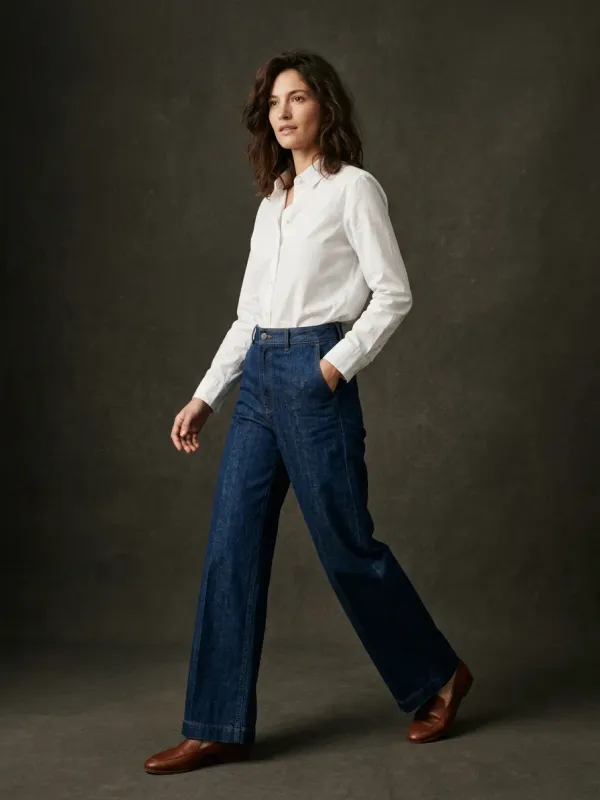
Show how your garment looks when worn. AI generates realistic model poses with accurate fabric drape, natural body proportions, and professional studio or lifestyle backdrops. On-model shots are critical for apparel categories where fit is the primary purchase concern — dresses, blazers, trousers, outerwear. You can specify model characteristics, pose, and background to match your brand aesthetic.

Lifestyle Narrative

Lookbook

Full-scene compositions that place your garment in a real-world context. A linen shirt photographed on a Mediterranean terrace. A puffer jacket on a misty mountain trail. A cocktail dress in a dimly lit rooftop bar. Lookbook photography builds emotional connection and helps customers visualize owning and wearing your product. AI can place your garments in any environment imaginable, without travel or location scouting.

Invisible Form

Ghost Mannequin

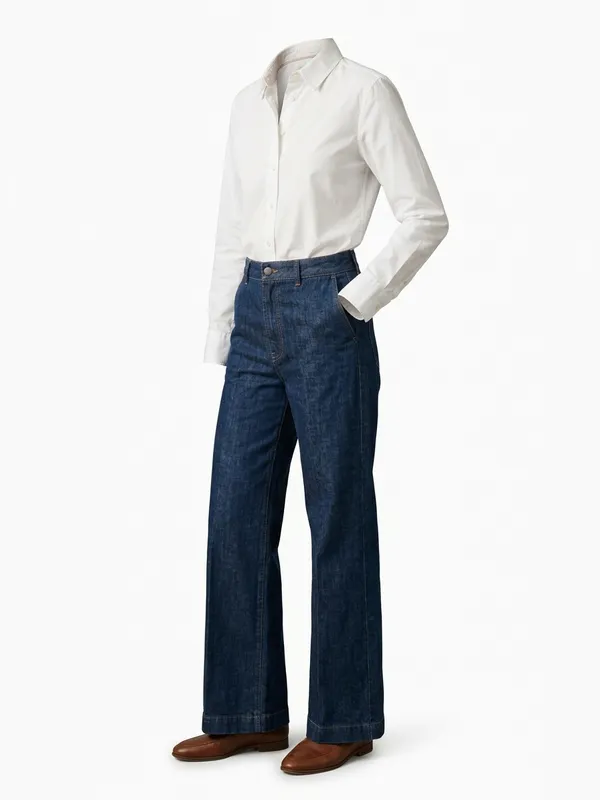
The garment appears to float in three-dimensional space, as if worn by an invisible body. Ghost mannequin (also called hollow man or invisible mannequin) photography shows the shape and structure of a garment without the distraction of a model. It is the industry standard for wholesale catalogs, technical product pages, and fashion marketplaces that require uniform presentation. AI generates this effect natively, eliminating the need for mannequin photography and Photoshop removal.

How AI Product Photography Works

1

Describe Your Product

Write a natural language description of the garment you want photographed. Include fabric type (silk charmeuse, raw denim, merino wool), color (specify Pantone or descriptive terms), silhouette (A-line, oversized, tailored), and any construction details (contrast stitching, horn buttons, French seams). Then specify your desired photography style: white background, editorial, flat lay, on-model, lookbook, or ghost mannequin. Include aspect ratio if you have a specific platform requirement.

2

AI Generates Your Image

Smasher Studio processes your description through a fashion-trained AI pipeline. The system understands garment construction, fabric physics, fashion photography conventions, and lighting techniques. It generates a photorealistic image that accurately represents your described product, with correct proportions, natural fabric drape, accurate color rendering, and professional-grade composition. Generation typically takes 5-15 seconds depending on complexity.

3

Refine, Iterate, Download

Review the generated image and refine through conversation. Ask the AI to adjust the color, change the background, try a different angle, add styling details, or generate variants. When satisfied, download the high-resolution image — it is permanently stored and remains accessible from your asset library. Generate multi-angle views of the same product for complete listing coverage.

AI vs. Traditional Photography: Quality Comparison

The most common concern with AI product photography is image quality. Can AI-generated images truly match the output of a professional photographer with a $5,000 camera, controlled studio lighting, and years of experience? The answer depends on the use case.

Resolution and sharpness: AI-generated product photos from Smasher Studio are produced at resolutions that meet every major e-commerce platform requirement. The images are sharp, free of compression artifacts, and maintain detail even at zoom level. For standard product listing purposes, they are visually equivalent to studio photography at the resolutions shoppers actually view them.

Consistency: This is where AI actually outperforms traditional photography. A studio photographer will inevitably produce slight variations in lighting, white balance, and composition across a 200-image shoot. AI generates every image under identical virtual conditions, producing perfectly consistent output across your entire catalog. No color correction needed, no batch-editing for white balance drift, no re-shoots because the lighting changed after lunch.

Color accuracy: When you specify a color in your prompt (for example, "dusty rose" or "navy with burgundy contrast stitching"), the AI renders it with high fidelity. For exact color matching to physical samples, we recommend using Pantone references or hex codes in your description. The AI will not have the slight color casts that studio lighting sometimes introduces, particularly with fluorescent or mixed light sources.

Where traditional still wins: If you need to photograph an existing physical sample with millimeter-accurate detail — showing the exact grain of a leather, the precise hand-feel of a texture, or a unique one-of-a-kind vintage piece — traditional photography remains the gold standard. AI excels at representing designs, concepts, and standardized products. The most effective approach for many brands is a hybrid workflow: AI for pre-production, rapid prototyping, and social content; traditional photography for hero products and flagship campaigns.

Shot Types Every Fashion Product Listing Needs

A complete product listing requires multiple image types. Research from Baymard Institute shows that fashion product pages with five or more images have significantly lower return rates because customers feel more confident in their purchase decision. Here are the shots you should generate for every SKU.

Hero Shot (Front View)

The primary image that appears in search results, category pages, and the main product gallery slot. Clean white background, garment centered, even lighting. This image must communicate the product category, color, and overall silhouette instantly. It is the most important image in your listing.

Back View

Shows construction details that are not visible from the front: back panel design, zipper placement, vent construction, yoke seaming, back pockets, and label positioning. Customers consistently cite the lack of back-view photos as a reason for returns.

Detail Close-Up

Macro-style shots of fabric texture, hardware (buttons, zippers, clasps), stitching quality, label details, and special construction features. These shots build trust and communicate quality. Focus on what makes your product premium.

Lifestyle / Contextual

The garment shown in a real-world setting — a coffee shop, a city street, a vacation scene. Lifestyle photos help customers imagine wearing your product in their own life. They perform best on social media and in retargeting ads.

Scale / Size Reference

On-model shots that communicate how the garment fits on a body. Combined with a size chart, on-model photography is the single most effective way to reduce size-related returns, which account for over 40% of all fashion e-commerce returns.

Image Specifications by E-Commerce Platform

Every platform has different image requirements. Smasher Studio supports all of these aspect ratios natively — just specify the platform or ratio in your prompt.

PlatformAspect RatioMin ResolutionBackgroundNotes
Amazon1:11600 x 1600pxPure white (#FFF)Main image must be white BG. 85%+ of frame filled by product.
Shopify1:1 or 4:51024 x 1024pxAny (white preferred)Square recommended for grid consistency. Zoom requires 1600px+.
Instagram Feed4:51080 x 1350pxAny4:5 portrait takes maximum screen space in feed. Avoid 1:1 — wastes vertical space.
Instagram Stories/Reels9:161080 x 1920pxAnyFull-screen vertical. Text-safe zone: keep key content in center 80%.
Pinterest2:31000 x 1500pxAny2:3 performs best. Tall pins get more impressions. Avoid landscape formats.
TikTok Shop1:1800 x 800pxWhite preferredProduct listing images are square. Video content is 9:16.
Website Banner16:91920 x 1080pxAnyHero banners, category headers. Use editorial or lookbook styling.

Cost Analysis: Traditional Studio vs. AI Photography

Traditional Product Photography

Cost breakdown for a 50-SKU fashion collection

  • Studio rental (2 days)$1,500
  • Photographer (2 days)$2,000
  • Stylist (2 days)$1,200
  • Model (1 day, on-model shots)$1,500
  • Post-production / retouching$2,500
  • Props and styling materials$300
  • Total$9,000
  • Per image (250 images)$36/image
  • Timeline2-4 weeks

AI Product Photography

Same 50-SKU collection, 5 images per product

  • 250 images x 5 credits each1,250 credits
  • Studio Pro plan (2,000 credits/mo)$99/month
  • Or pay-as-you-go$125
  • Post-production$0
  • Physical samples requiredNo
  • Total$99 - $125
  • Per image$0.50/image
  • Timeline1 afternoon

Scaling Product Photography for High-Volume Fashion Brands

The economics of AI product photography become dramatically more compelling at scale. A fast-fashion brand launching 200 new SKUs per month faces a photography bottleneck that traditionally requires a full-time in-house studio or a retainer with a photography agency. With AI, that bottleneck disappears entirely.

New collection launches: Generate product photos before physical samples exist. Use AI-generated images for pre-order pages, buyer presentations, and marketing materials while your manufacturer produces the first run. This compresses your go-to-market timeline by weeks, letting you capture trend-sensitive demand before it fades.

Seasonal refreshes: Many brands need to re-photograph existing products for seasonal campaigns — the same white t-shirt styled for summer versus winter, or the same dress shown in Valentine's Day versus back-to-school contexts. AI generates seasonal variants without re-shooting. Describe the seasonal context and get fresh, on-theme product photography instantly.

Variant photography: If your product comes in 12 colors, traditional photography requires shooting (or digitally recoloring) every variant. AI generates each colorway as a separate product shot with accurate fabric rendering for each color. A product available in 12 colors and needing 5 images per color requires 60 photos — that is 300 credits ($30) with AI versus $2,000+ with a studio.

A/B testing: Generate multiple versions of a product hero image — different backgrounds, angles, styling — and A/B test which converts better on your product page. Traditional photography makes this prohibitively expensive; AI makes it trivial. Test five different hero image styles for 25 credits ($2.50) and deploy the winner across your entire catalog.

Aspect Ratios Explained: Choosing the Right Format

1:1 (Square)

E-commerce product grids, Instagram feed, TikTok Shop

The universal safe choice. Works everywhere without cropping. Best for product catalogs where consistency across a grid matters more than maximum visual impact. Amazon, Shopify, and most platforms default to square thumbnails.

4:5 (Portrait)

Instagram feed, Facebook ads, Shopify collections

Takes 20% more vertical screen space than square in Instagram feeds. This is the optimal ratio for fashion product photos on social media because it shows more of the garment while maximizing scroll-stopping real estate.

16:9 (Landscape)

Website banners, hero images, YouTube thumbnails

The standard widescreen format. Use for homepage hero sections, category page banners, and email headers. Not suitable for product listing main images but excellent for lifestyle and editorial applications.

9:16 (Vertical)

Instagram Stories, Reels, TikTok, Pinterest Story Pins

Full-screen vertical format for mobile-first platforms. Ideal for single-product feature content, behind-the-scenes styling, and vertical video cover frames. Fastest-growing format in fashion marketing.

3:4 (Classic Portrait)

Lookbooks, editorial prints, wholesale catalogs

The traditional photography portrait ratio. Feels more editorial and intentional than 4:5. Preferred by luxury brands and for print applications where the slightly taller format provides elegant negative space.

2:3 (Tall Portrait)

Pinterest, magazine-style layouts, vertical banners

Pinterest optimal ratio. Tall pins receive significantly more impressions because they occupy more visual real estate in the feed. If Pinterest is part of your marketing strategy, 2:3 should be your default format.

Technical Specifications: The AI Behind the Images

Smasher Studio uses a multi-engine architecture to deliver the highest quality product photography. Understanding the technical stack helps you get better results from the platform.

Primary engine: Our primary image engine is optimized for photorealistic product imagery. It excels at fabric rendering, accurate color reproduction, and natural lighting simulation. It understands garment construction details like seam placement, button spacing, and collar roll, producing images that look like they were taken in a professional photography studio.

Fallback engine: If the primary engine is unavailable, Smasher Studio automatically falls back to a second high-quality engine, maintaining continuous availability. The fallback is transparent — you always receive high-quality output regardless of which engine processes your request.

Permanent storage: Every generated image is uploaded to permanent, encrypted storage immediately after generation. Unlike some AI platforms where image URLs expire within minutes, your Smasher Studio images remain accessible permanently from your asset library. You can download, share, or embed them at any time without worrying about broken links.

Orchestration: Behind every generation is a frontier AI orchestrator, which interprets your natural language descriptions and translates them into optimized generation parameters. This layered architecture means you can describe products conversationally — "a relaxed linen blazer in sand, unstructured, patch pockets, photographed on a white background" — and the system handles the technical prompt engineering automatically.

Frequently Asked Questions

What resolution are AI-generated product photos?+
Smasher Studio generates images at up to 1440x1440 pixels by default, which meets or exceeds the requirements for every major e-commerce platform. Amazon recommends 1600px on the longest side for zoom functionality, and our output covers that. You can also generate at custom aspect ratios including 4:5, 16:9, and 9:16 for platform-specific needs. The image engine produces sharp, artifact-free images with accurate color reproduction suitable for product listings.
Can AI product photos replace a traditional photoshoot?+
For many fashion brands, yes. AI product photography is particularly effective for pre-production visualization, concept validation, e-commerce listings for small batches, social media content, and seasonal refresh campaigns. Brands launching 50+ SKUs per season save thousands of dollars by generating AI product shots during the design phase and reserving traditional photography for hero products only. The key advantage is speed and cost: you can generate 100 product photos in an afternoon instead of booking a week-long studio shoot.
How accurate are AI-generated clothing photos compared to real garments?+
AI-generated product photos are photorealistic but represent an idealized version of your design. They accurately capture fabric texture, drape, color, and construction details when you provide specific prompts. However, they should be understood as high-fidelity visualizations rather than photographs of a physical sample. For pre-production content, concept decks, and initial e-commerce listings, AI photos are indistinguishable from studio shots to the average shopper. Many brands use AI photos during pre-order phases and swap in traditional photography once physical samples arrive.
Do I own the commercial rights to AI-generated product images?+
Yes. Every image generated on Smasher Studio is yours to use for any commercial purpose, including e-commerce product listings, paid advertising, social media marketing, wholesale catalogs, and print materials. There are no licensing fees, royalty payments, or usage restrictions. You receive full commercial usage rights the moment the image is generated.
How much does AI product photography cost compared to traditional studios?+
Each AI product photo costs 5 credits, which equals $0.50 at our standard rate. A traditional product photography studio charges $25-75 per image for basic white background shots, $100-300 per image for styled editorial shots, and $500-1,500 per day for on-model photography (which typically yields 20-40 final images). With Smasher Studio, you can generate 100 product photos for $50 — the cost of a single traditional product shot. Free accounts receive 50 credits monthly, enough for 10 product photos per month at no cost.
What photography styles can I generate for fashion products?+
Smasher Studio supports six core photography styles: clean white background (e-commerce standard), editorial/styled (brand storytelling with props and backgrounds), flat lay (overhead arrangement for social media), on-model (worn by a virtual model showing fit), lookbook (lifestyle context), and ghost mannequin (invisible mannequin showing garment form). You can also specify lighting setups, camera angles, and post-processing styles like high-key, low-key, or natural window light.
Can I generate consistent photos across an entire product line?+
Yes. Smasher Studio remembers your brand context through Brand Memory, which stores your preferred styles, color palettes, and photography conventions. When you generate photos for a collection, you can maintain consistent lighting, backgrounds, and styling across every SKU. This is actually easier with AI than with traditional photography, where lighting conditions change throughout a shoot day and consistency requires significant post-production work.
What aspect ratios are available for product photography?+
You can generate product photos in any standard aspect ratio: 1:1 (square, ideal for Instagram and most e-commerce grids), 4:5 (portrait, Instagram feed and Pinterest), 3:4 (classic portrait), 2:3 (tall portrait, Pinterest optimal), 16:9 (landscape, website banners and Facebook), and 9:16 (vertical, Stories, Reels, TikTok). You specify the aspect ratio in your prompt or let the AI choose the best format for the shot type you have described.

Related Tools and Guides

Replace Your Photography Budget with AI

Join fashion brands generating studio-quality product photos in seconds instead of weeks. Start free with 50 credits monthly — no credit card, no commitment.

AI Product Photography for Fashion — Studio Quality, No Studio | Smasher Studio | Smasher Studio