How Do I Make a Lookbook Without a Photoshoot?
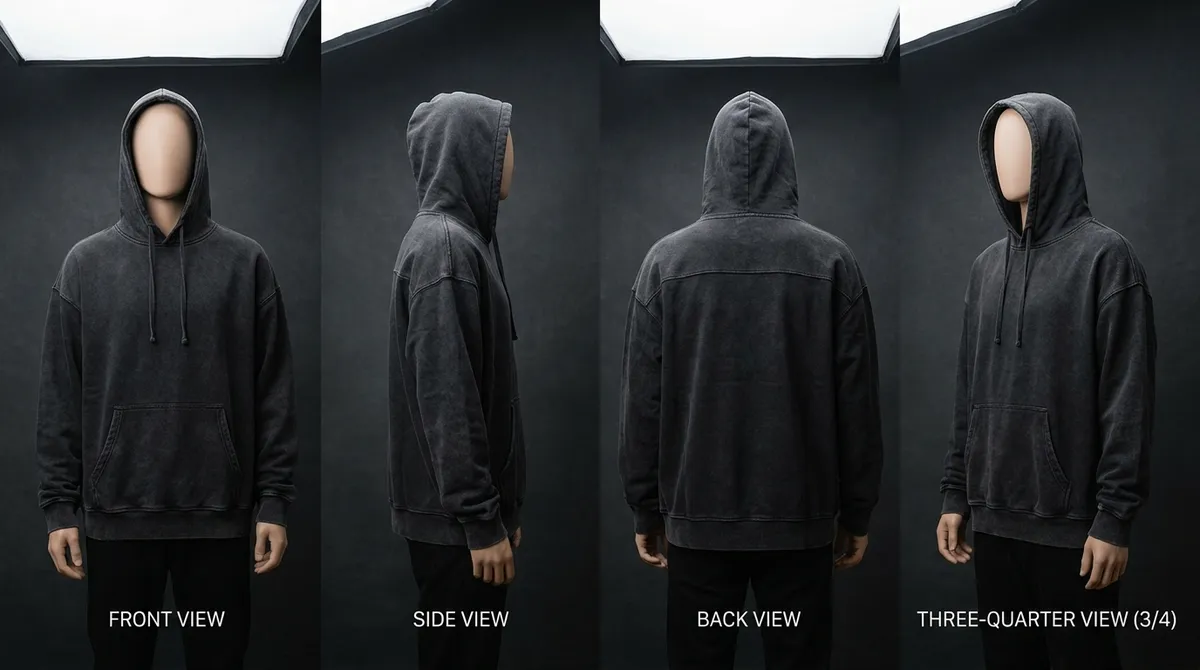
Start from clean photos of the real garments, flat or on a hanger, and put each one on a model in the setting your story needs. Keep one light, one location and one styling rule across every look, sequence the images like a short story, and lay them out on simple pages.
Your garment worn by a model in a studio photograph, fabric and details kept.
Last updated:
Drop a garment photo here
or choose one from your phone or computer
JPEG, PNG or WebP. Any phone photo works.
Your photo is stored for 30 days, then deleted. It is used to make your image, and by the studio if you continue there. If you order a pattern from it, a copy is kept with your order.
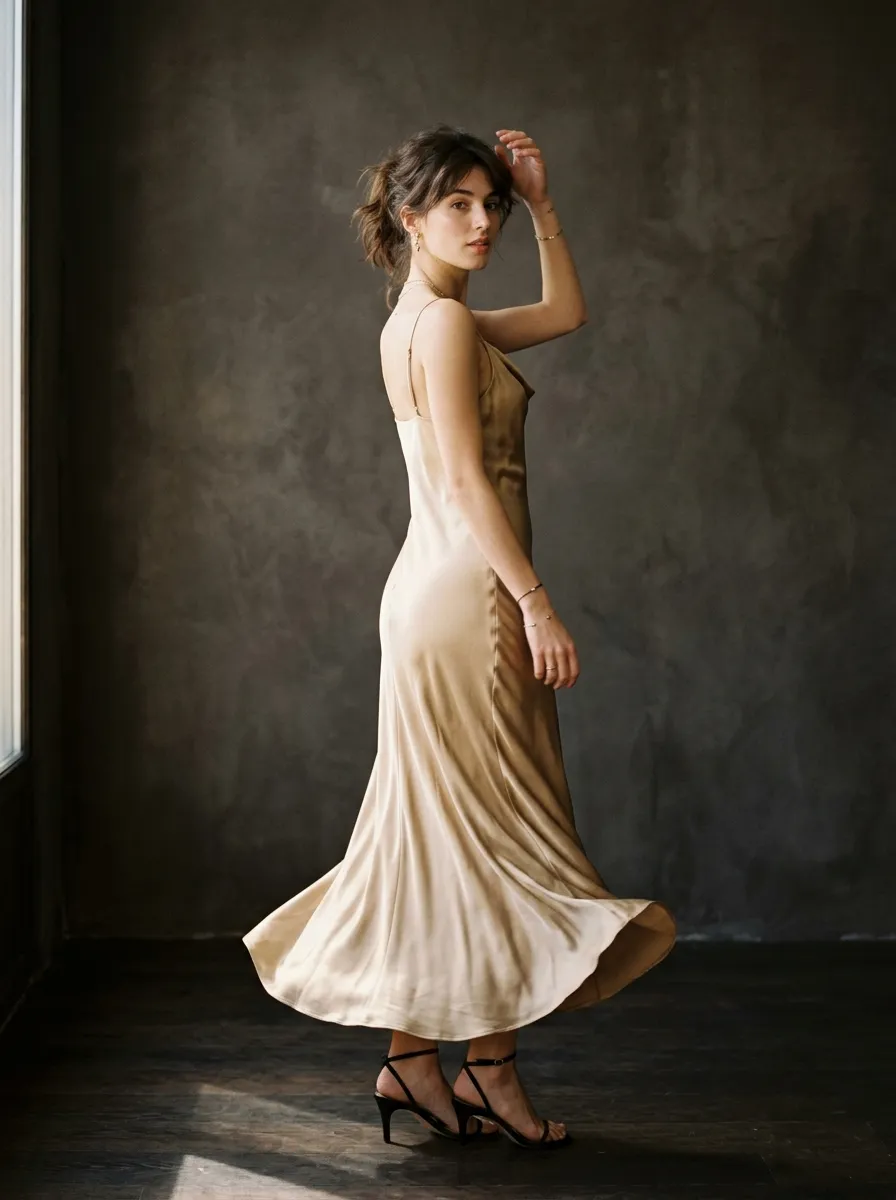
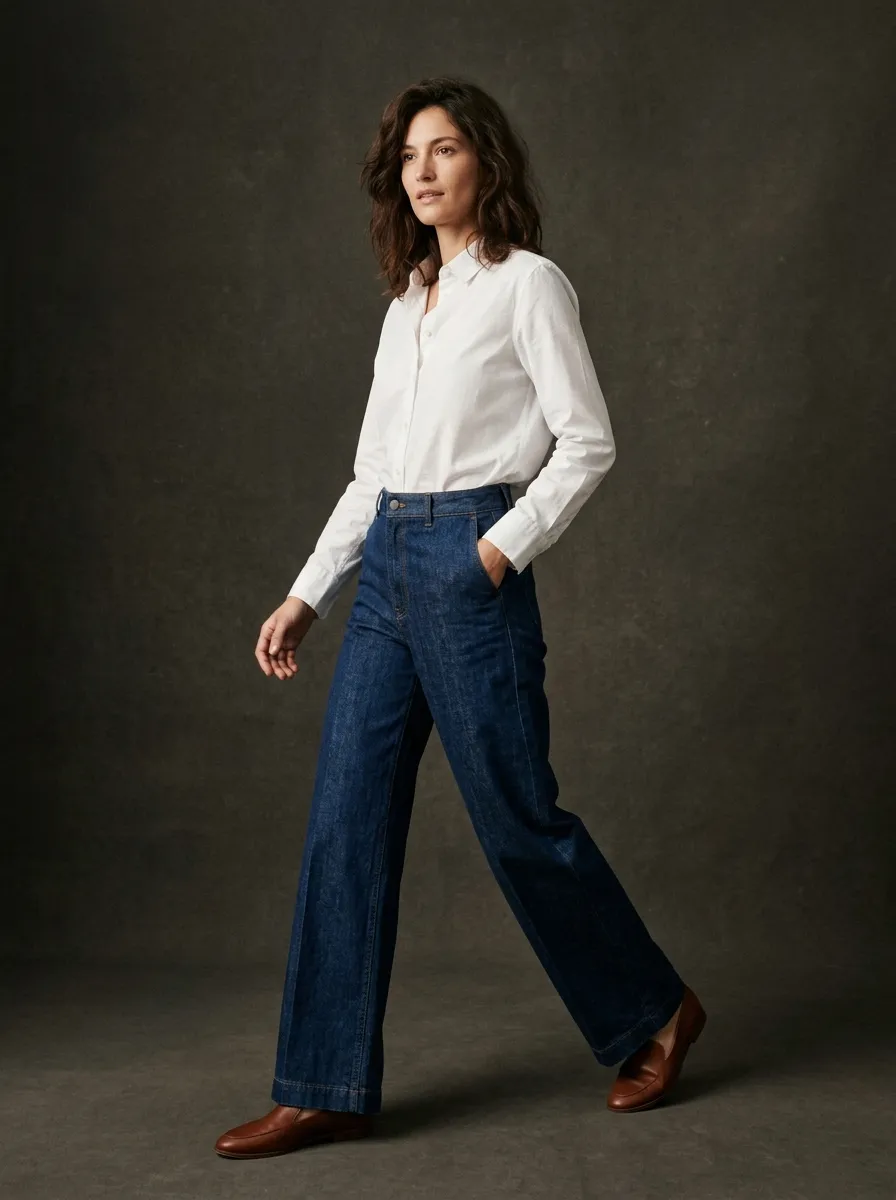
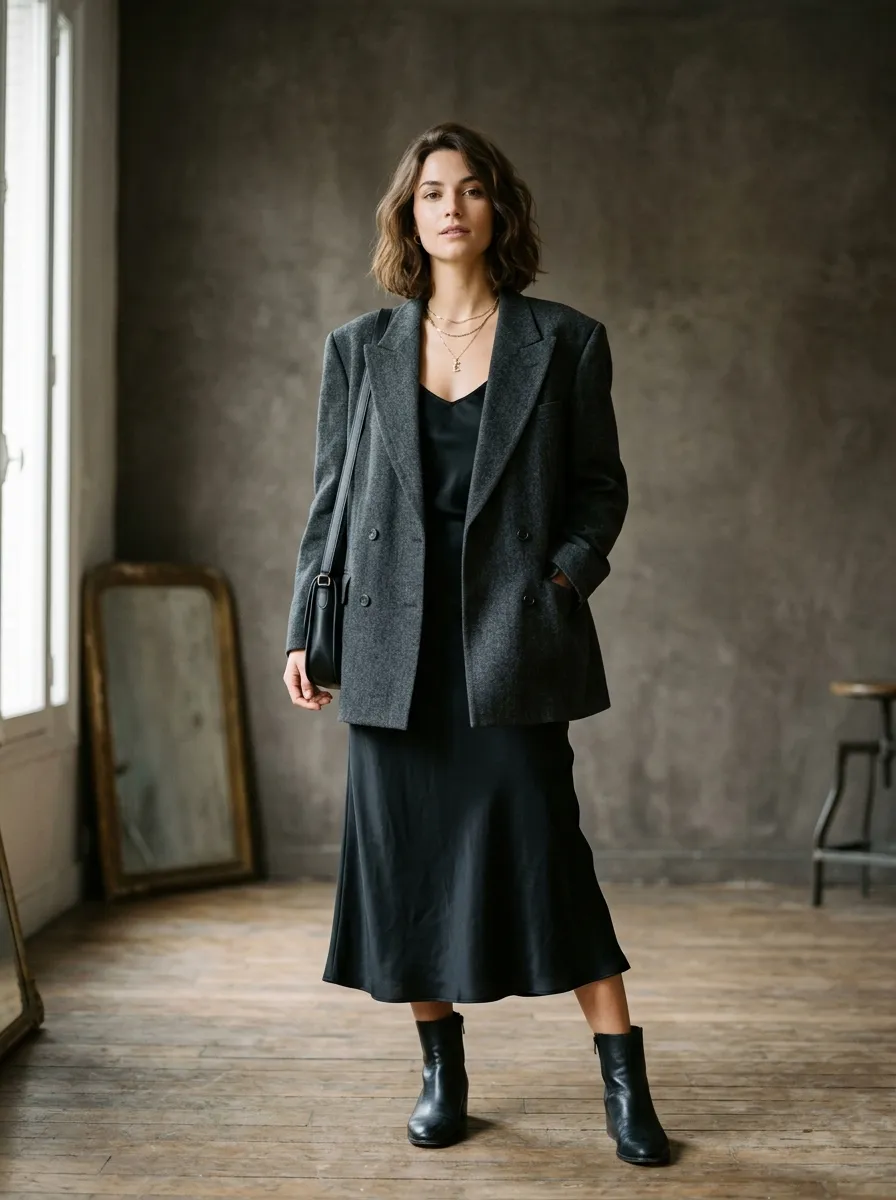
Every look above was generated in the studio. Hover or tap one to read its shot note.
A lookbook is how your collection introduces itself to the world. It is not a product catalog: it is a story told through imagery, styling, and atmosphere. This guide covers planning your narrative, organizing a photoshoot, laying out the pages, and using AI to make editorial imagery at a fraction of the traditional cost, so a first-time founder and a seasoned brand alike can build a lookbook that moves product and builds brand equity.
Put your garment on a model, freeOne photo in, a lookbook image out. No account for the first two, across all our tools.
What Is a Fashion Lookbook?
A fashion lookbook is a curated collection of photographs that presents a brand's seasonal collection as one visual narrative. Unlike a product catalog, which exists to facilitate transactions, a lookbook exists to communicate mood, identity, and aspiration. It answers the question: “What does it feel like to wear these clothes?”
The distinction matters because it determines every creative decision. A catalog prioritizes clarity: white backgrounds, consistent angles, visible product details. A lookbook prioritizes emotion: atmospheric lighting, evocative locations, models who embody your brand's character. A catalog says “here is what we sell.” A lookbook says “here is who we are.”
The term comes from the fashion industry practice of literally booking looks: compiling styled outfits into a physical book that designers, buyers, and press could reference. Today lookbooks live mostly in digital form, but the best ones keep the editorial quality and intention of their print predecessors.
Every serious fashion brand produces at least two lookbooks per year (Spring/Summer and Fall/Winter), and many add lookbooks for capsule collections, collaborations, and seasonal drops. The lookbook is often the first professional touchpoint between your brand and a wholesale buyer, a fashion editor, or a potential customer, so it carries outsized weight in first impressions.
Why Every Brand Needs a Lookbook
Buyer Presentations
Wholesale buyers evaluate dozens of brands per season. A polished lookbook is your primary tool for standing out. Buyers receive it alongside your line sheet and use it to judge your positioning, aesthetic quality, and fit with their customer base. A brand without a lookbook is a brand that does not get a second meeting.
Brand Storytelling
Your lookbook is where your brand narrative lives visually. Locations, lighting, casting, and styling together say who your brand is for, what lifestyle it represents, and where it sits in the market. A streetwear brand shooting in raw concrete tells a different story than the same clothes shot in a sun-drenched Italian villa.
Social Media Content
A single lookbook shoot produces enough content for 2 to 3 months of posting. Individual images become Instagram posts, behind-the-scenes shots become Stories, details and flat lays become carousels, and multiple angles of one look become Reels. Without lookbook imagery, brands scramble for content and post inconsistent images that erode brand cohesion.
Press & Media Coverage
Fashion editors and bloggers need high-resolution imagery to feature your brand. When a publication wants your collection in a roundup or trend piece, the first thing they ask for is lookbook images. Poorly lit phone photos or graphics-heavy social assets get you ignored. Professional lookbook imagery gets you published.
Planning Your Lookbook: Story, Selection & Styling
Define the Story and Mood
Every effective lookbook starts with one clearly articulated mood or narrative. Not a vague concept like “modern luxury”, but a specific visual world: “a solitary morning in a brutalist Tokyo apartment,” “dusty golden hour on a deserted Algarve beach,” or “rain-soaked London streets at midnight.” The more specific your vision, the more consistent your creative decisions.
Build a mood board of 15 to 25 reference images that capture the feeling you are after. Include references for lighting, color palette, pose direction, location textures, and hair and makeup. This board becomes the creative brief for every collaborator: photographer, stylist, hair and makeup, and models all work from the same visual reference point.
Curate the Collection
Not every piece needs to appear in the lookbook. Select your hero pieces, the items that best represent the season's design direction and have the strongest visual impact, then add supporting pieces that complete looks and show the collection's versatility.
A 20-piece collection might distill down to 12 to 15 looks, each featuring 2 to 4 pieces styled together. The goal is range without fragmentation. Each look should feel like it belongs to the same story, even if the pieces serve very different purposes in a customer's wardrobe.
Choose Your Styling Direction
Three fundamental approaches define lookbook styling: model-on-location (the classic editorial approach), model-in-studio (clean, controlled, versatile), and flat lay (no model, product-focused). Most brands combine them, with model shots as the hero imagery and flat lays filling in detail and product reference.
Casting is a brand decision, not just a practical one. The models in your lookbook become the face of your brand for that season; their type, energy, and presence should match your target customer's aspirational self-image. Casting models who look nothing like your customer creates a disconnect that no amount of beautiful photography can overcome.
Create a Shot List
A shot list specifies every image you plan to capture. For each shot, list the look number, garment pieces, styling notes, shot type (full body, three-quarter, close-up, flat lay), and any direction for the photographer. It prevents wasted time on set: every minute of a shoot costs money, and wandering without a plan is how brands end up with 400 photos and nothing usable. Plan 3 to 5 shots per look: one hero shot, one detail, and 1 to 3 alternatives for styling flexibility.
Traditional Lookbook Production: Real Costs & Timelines
Here are the actual costs of producing a professional lookbook the traditional way. These figures are major-market rates (New York, Los Angeles, London); reduce them by 30 to 50 percent for smaller markets.
Photographer
$500 to $3,000
Day rate, usage rights included
Models (1-2)
$200 to $1,500 each
Half-day to full-day booking
Stylist
$300 to $1,000
Including prep day
Hair & Makeup
$300 to $800
Per artist, per day
Studio / Location
$500 to $2,000
Daylight studio or permit
Post-Production
$10 to $50/image
Retouching and color grading
Traditional shoot
- Total production cost
- $3,000 to $15,000
- End-to-end timeline
- 2 to 4 weeks
- Typical deliverable
- 30 to 60 images
With AI in the studio
- Per image
- About $0.50
- A 20-image lookbook
- About $10
- First image
- Minutes
The timeline breaks down like this: 1 week of pre-production (casting, location scouting, styling prep, shot list), 1 day for the shoot, and 1 to 2 weeks of post-production (selection, retouching, color grading, layout). If anything goes wrong on shoot day, such as wrong lighting, a model no-show, or a damaged sample, you may need to reschedule and add another week.
For emerging brands these costs are a significant share of the seasonal budget. A brand spending $15,000 on production needs to sell a lot of product before the lookbook pays for itself. That is why AI alternatives have become so compelling: not because they beat professional photography, but because they are within reach of brands that would otherwise have no lookbook at all.
AI Lookbook Creation: How It Works in 2026
AI-generated lookbook imagery is now genuinely useful for fashion brands. Not perfect, and we will be honest about its limits, but useful enough to be a practical tool in the modern brand's kit.
Smasher Studio's lookbook generation works from natural-language descriptions, or from one photo of the garment itself. You tell the AI what you want to see: “A model wearing an oversized cream linen blazer over a fitted black tank top, standing in a sun-drenched Mediterranean courtyard with terracotta walls and olive trees. Golden hour light. The model looks away from camera, one hand in the blazer pocket.” The AI generates a photorealistic image matching that description on the first pass.
Each image costs approximately $0.50 (5 credits). A complete lookbook of 20 images costs about $10, against $3,000 to $15,000 for traditional production. AI also offers something a shoot cannot: iteration at near-zero marginal cost. If the lighting is wrong, you regenerate. If you want a different location, you describe it. If you want the same outfit in six settings, you generate all six for $3.
- 1
Describe the Scene
Tell the AI about the outfit, setting, model, lighting, and mood, or start from a garment photo.
- 2
Generate Images
The AI creates photorealistic editorial imagery on the first pass. Generate several options.
- 3
Curate and Layout
Select your best images, arrange them in your lookbook template, and distribute.
Where AI lookbooks excel: pre-production marketing (selling the collection before samples exist), social media content, DTC website imagery, pitch decks for investors or retail buyers, and brands bootstrapping their first few seasons. Where they still fall short: editorial submissions to major publications (editors can usually tell), ultra-high-detail fabric rendering (AI sometimes smooths textures), and campaigns where authenticity and behind-the-scenes content are part of the marketing.
The most pragmatic approach for growing brands: use AI for your first lookbook to get to market quickly, then invest in a professional shoot as revenue allows. Many successful brands now use both, AI imagery for speed and volume and professional photography for hero campaigns and press.
Try it on one garment
Your first lookbook page
Every lookbook starts with one look. Pick a photo of a garment you have, even a phone shot on a hanger, and the tool page puts it on a model in studio light. That image is your first page.
or drop it here
Two free renders across all our tools, no account needed. JPG, PNG or WebP, any phone photo works.
Or open the tool without a photoEssential Lookbook Shots Every Collection Needs
Whether you shoot traditionally or generate with AI, your lookbook should include these fundamental shot types. Each one does a specific job in telling the full story of your collection.
Hero Shot
Your single strongest image, the one that opens the lookbook and sets the tone for everything that follows. This is typically a full-body model shot in the collection's signature look, styled in a location or setting that captures the season's mood. The hero shot is also the image you will use for PR, social media headers, and trade show banners, so it needs to work at every scale from billboard to Instagram thumbnail.
Detail Close-Ups
Zoomed-in shots that showcase the craftsmanship and design details that set your pieces apart: fabric texture, custom hardware, embroidery, unique stitching, label placement, or interior lining. These shots justify your price point. A buyer can see a jacket from five feet away and think it looks like every other jacket. A detail shot of the hand-finished buttonholes changes that perception entirely.
Styled Editorial
Multi-piece outfit shots that show how items in your collection work together. These images tell buyers and consumers how to wear your clothes: how the jacket layers over the shirt, how the accessories complement the main pieces, how the proportions play together. Styled shots also raise your average order value because they encourage buying complete outfits rather than individual pieces.
Model Lifestyle
Candid or semi-candid shots of models interacting with their environment while wearing your clothes. Walking through a market, sitting at a cafe, leaning against a wall, adjusting sunglasses. These images place your clothes in real life and help the viewer project themselves into the scene. Lifestyle shots perform exceptionally well on social media because they feel authentic rather than commercial.
Flat Lay
Individual garments or curated groupings laid flat and photographed from directly above. Flat lays are essential for showing pattern details, color accuracy, and scale relationships between pieces. They also serve double duty: flat lay images from your lookbook can be reused directly for e-commerce listings, social media posts, and email marketing with minimal additional editing.
Back and Side Views
Rear and profile angles of your key pieces. Many brands neglect these, but buyers need to see the full garment: back panel design, side seam details, how a jacket drapes from behind, how pants break at the shoe. These angles also reveal fit quality. A garment can look perfect from the front and pull awkwardly from the back, and buyers know this.
Layout and Design: Making Your Images Sing
Great photography poorly laid out is wasted photography. The design of your lookbook decides how the viewer experiences your images, how long they spend on each page, and what impression they leave with.
Software Options
Adobe InDesign remains the professional standard for multi-page document design. Canva works for brands without design resources, though it limits customization. Figma suits digital-first lookbooks viewed on screen. For print, use InDesign: it handles CMYK color management and bleed settings correctly, which Canva and Figma do not.
Grid Layouts
Use one grid system throughout. The simplest effective approach alternates full-bleed hero images (one per spread) with grid pages of 2 to 4 smaller images. That rhythm creates variety while keeping structure. Avoid randomly sizing and placing images: it reads as chaotic rather than creative.
Whitespace
Whitespace (or, in dark-themed lookbooks, negative space) is the most underused design tool. Generous margins let images breathe and signal quality. Cramming images edge to edge on every page makes your lookbook feel like a catalog, and not a good one. Leave at least 15 to 20 percent of each page empty. The exception is full-bleed hero images, which should run to the very edge of the page.
Typography
Keep text to an absolute minimum; your lookbook is a visual document, not a written one. Use your brand typeface for the cover, section headers, and page numbers. If you include garment descriptions, keep them to 2 or 3 lines in a clean sans-serif at 8 to 10 points. Never let text compete with imagery. Some of the most effective lookbooks contain nothing but images and the brand logo on the cover.
Distribution: Getting Your Lookbook Seen
Digital PDF
The workhorse format. Export at 300 DPI for print quality but keep the file under 20 MB for email, compressing if necessary. Send it to buyers, press, showroom partners, and anyone who requests your collection materials. Include clickable links to your line sheet and order form.
Website Gallery
Give the lookbook its own page on your website with full-screen images. It serves both B2B (buyers browsing your site) and B2C (customers discovering your brand). Optimize images for web: 2000px on the longest edge, compressed JPEG or WebP, with descriptive alt text for SEO. Link the PDF version for download.
Social Media
Extract individual images and crop them for each platform: 4:5 for the Instagram feed, 9:16 for Stories and Reels, 16:9 for X and LinkedIn. Stagger releases over 2 to 3 weeks rather than posting everything at once. Use carousels to group related looks and tell a story within one post.
Buyer Presentations
For trade shows and showroom appointments, prepare a large-format printed version (A3 or larger) alongside a digital version on a tablet. Walk buyers through it in person, with context on inspiration, fabric stories, and pricing tiers. A printed lookbook left behind becomes your silent salesperson after you leave the room.
Lookbook vs. Line Sheet: Side-by-Side Comparison
| Attribute | Lookbook | Line Sheet |
|---|---|---|
| Purpose | Emotional: inspire and tell the brand story | Functional: facilitate orders and inform buying decisions |
| Photography | Styled, editorial, on location or in studio with mood | Clean, white background, product-focused |
| Information | Minimal text, brand name, season, look number | Style number, wholesale price, MSRP, sizes, colors, MOQ |
| Layout | Full-bleed images, generous whitespace, artistic | Dense grid, multiple products per page, efficient |
| Audience | Buyers, press, consumers, investors | Buyers and retail partners only |
| When to share | First, to generate interest | After, to convert interest into orders |
| Update frequency | Fixed per season | Updated as inventory or pricing changes |
Frequently Asked Questions About Fashion Lookbooks
How many looks should a lookbook have?
What is the difference between a lookbook and a line sheet?
Can I create a lookbook with AI instead of a photoshoot?
What size and format should a digital lookbook be?
How much does a professional lookbook photoshoot cost?
When should I release my lookbook?
Should I print physical lookbooks or keep them digital?
What makes a lookbook different from a catalog?
Related Guides
AI Product Photography
Generate e-commerce-ready product photos without a studio.
How to Start a Fashion Brand
Business plan, branding, production, and launch strategy.
How to Make a Tech Pack
The complete guide to creating manufacturing-ready tech packs.
AI Lookbook Generator
Create editorial lookbook imagery from text descriptions.
Your Collection Deserves to Be Seen
Build a lookbook that tells your brand story, with traditional photography or AI-generated editorial imagery. Start with one garment on a model, free and without an account; a free account then adds 15 credits a month. No credit card, no commitment.