Can AI show how a fabric drapes before you sample it?
It can show how a fabric looks as it falls on a garment, drawn from a photo of the cloth, and that is often enough to cut fifteen candidates down to two. It cannot calculate the drape. An AI render is a picture, not a physics simulation: it knows nothing of the weight in your hand, the stretch or the feel.
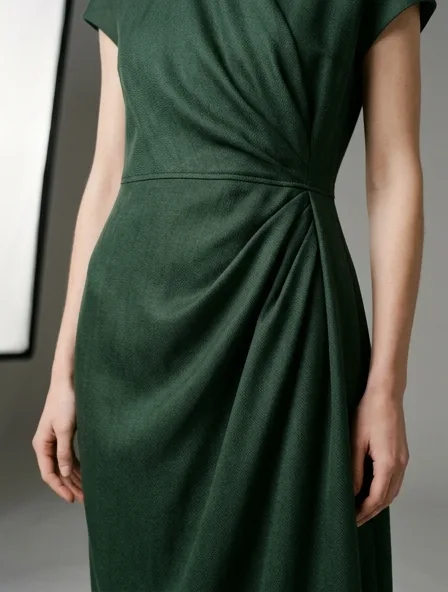
Two free renders, shared across all our tools. No account.
What an AI fabric render is, and what it is not
- It is a picture of a garment in a fabric, made from your photo of the cloth or from the fabric you name. It reproduces the surface, the color, the sheen and the kind of fall that cloth usually has.
- It is not a drape simulation in the engineering sense. Nothing is measured: no weight per square meter, no bending stiffness, no stretch. Two cloths that photograph alike render alike, even if one is twice as heavy.
- It does not know your pattern. The garment in the render fits perfectly because it was drawn, not cut.
- It cannot feel. Hand, warmth, breathability, static and how a cloth ages in the wash are found on a swatch and a worn sample.
Two ways to see a fabric on a garment
Start from a fabric: photograph a cloth you own or are about to buy and the fabric tool proposes six garments a small label could cut from it, then renders them in that cloth. This is the free route, with no account needed for the first renders.
Start from a design: in the studio, take one garment and see it side by side in several fabrics, 5 credits ($0.50) a fabric. All fifteen fabrics below come to 75 credits for one design; a free account opens with a one-time welcome of 50 credits, and its 15 monthly credits cover 3.
Fifteen fabrics and how they render
Each row links to the page for that fabric. The weights are the range the trade usually quotes for clothing; your cloth has one figure, on its spec sheet.
| Fabric | Typical weight | Drape | Sheen | Breathability | Renders convincingly | Does not |
|---|---|---|---|---|---|---|
| Cotton | About 60 to 450 GSM, voile to fleece | Low to medium | Matte | High | Weave texture, crisp collars, even color | Shrinkage and the softening of washing |
| Silk | About 50 to 230 GSM; often sold by the momme | Very high | Deep, shifts with the light | High | Luster and the fall of a bias cut | Seam slippage, water marks, uneven slubs |
| Denim | About 270 to 540 GSM (8 to 16 oz) | Low | Matte | Medium | Indigo shade, twill line, the way it folds | Fades, whiskers, fit and stretch |
| Leather | About 0.5 to 1.4 mm thick | Very low | Soft to high, by finish | Medium | Grain and finish, nappa to suede | Bulk at seams, how it softens with wear |
| Velvet | About 150 to 400 GSM | Medium to high | Pile: dark hollows, bright crests | Low | Depth of color along each fold | Nap direction from piece to piece, pile marks |
| Linen | About 110 to 350 GSM | Low to medium | Matte, a little dry | Very high | Slubby texture and a relaxed rumple | How quickly it creases once worn |
| Wool | About 180 to 750 GSM, crepe to melton | Medium | Matte | High | Worsted or brushed face, checks and stripes | The tailoring inside, warmth, itch |
| Cashmere | About 130 to 400 GSM for knits; coatings heavier | Medium to high | Matte with a soft halo | High | The soft halo and rich color of a knit | The softness that justifies the price, pilling |
| Satin | About 80 to 300 GSM, charmeuse to duchess | Very high | High, mirror-like | Low | Highlights and folds that pool | Exact color under a glare, puckered seams |
| Chiffon | About 30 to 70 GSM | Very high | Soft | High | Float, flutter and layering | How sheer it really is over skin |
| Organza | About 25 to 70 GSM | Very low; holds volume | Soft glint | High | Crisp volume and the sheer grid | The support a big volume needs |
| Tweed | About 300 to 650 GSM | Very low | Matte | Medium | Flecked, multicolor yarns and boxy shapes | Fraying edges, matching the pattern at seams |
| Jersey | About 140 to 380 GSM, single jersey to ponte | High | Matte | Medium to high | Cling and soft folds on the body | Stretch, recovery, edges that roll |
| Neoprene | Scuba knits about 280 to 400 GSM; true neoprene 2 to 3 mm | Very low | Soft | Very low | Clean raw edges and sculpted shapes | Thickness at seams and how hot it wears |
| Polyester | About 80 to 300 GSM | Low to medium | Even, soft to high | Low | Even sheen and sharp prints | Stretch, static, warmth |
Choosing between two fabrics
Keep the garment fixed and change only the cloth. Photograph a swatch of each candidate in the same light, run the same idea on each, and lay the results side by side: differences in drape and sheen that are hard to put into words are easy to see next to each other.
Then order physical swatches of the two that survive, and a sample in the winner. The render saves the cost of sampling the cloths that were never going to work; it does not replace the sample of the one that might.
Questions
Is AI fabric simulation the same as a 3D drape simulation?
No. 3D garment software computes drape from measured properties of a cloth (weight, bending, stretch) on a digital pattern, and needs those measurements. An AI render draws what that fabric usually looks like on a garment, from a photo or a name. It is faster and needs no lab data, but it is an image: use it to choose, then confirm on a sample.
Which fabrics are hardest for AI to render?
Sheers, because how much skin shows through chiffon or organza depends on the light and the layers. Pile, because velvet changes shade with the direction of the nap. High-sheen satin, because studio light shifts its color. And any fabric chosen for how it feels, such as cashmere or a stretch jersey, since feel never reaches an image.
Can I render a blend, like cotton and linen?
Yes. The simplest way is to photograph the blend itself and give that photo to the fabric tool: the render follows how the cloth looks, whatever its label says. In the studio you can also describe it in words, such as a washed cotton and linen with a slubby surface.
What is the difference between the fabric tool and the studio's fabric simulation?
The fabric tool starts from a cloth: one photo, six garments proposed for it, and free renders to begin. The studio's simulation starts from a garment: one design shown in several fabrics side by side, at 5 credits a fabric, with an account.
Is there a free way to try it?
Two free renders, shared across all our tools. No account. Then 5 credits ($0.50) a render; a free account opens with a one-time welcome of 50 credits, then gets 15 credits a month.