How do I photograph clothes with my phone to sell them online?
Shoot by a window in daylight, on a plain background that contrasts with the garment, with the phone held straight and the whole piece in the frame: flat from above, on a hanger against a wall, or worn. Take the front, the back, a close-up of the fabric and one detail, then turn the best front into a white packshot or an on-model shot if your shop needs one.
Seven steps, about fifteen minutes a garment
Nothing here needs equipment beyond the phone in your pocket, a clean surface and a window.
- Prepare the garment. Steam or iron it, remove lint and threads, and fasten it the way it is meant to be worn: buttons done, zip closed, collar folded. Every crease you leave is in the photo and in anything made from it.
- Find the light. Stand by a large window in daylight, out of direct sun; an overcast day is ideal. Switch off the ceiling lights, whose warmer color mixes badly with daylight, and never use the flash. A sheet of white card opposite the window lifts the shadows.
- Choose the background. For a flat lay, a white sheet or a large white board on the floor or a table; for a hanger, a plain wall and a hook. The background should contrast with the garment: white under navy, a pale wood floor under white.
- Set the phone. Wipe the lens. Use the main lens, never the ultra-wide, which bends straight lines. Switch off portrait mode, filters and beauty effects, turn on the grid, tap the garment to focus, and slide the exposure down a touch if the whites lose their detail.
- Hold it straight. Flat lay: from directly above, the phone parallel to the floor; stand on a chair if you have to. Hanger or worn: the phone at chest height of the garment, square to it. A tilted phone makes the hem look wider than the shoulders.
- Take the shots. The front with the whole garment in frame and a margin around it, the back, a close-up of the fabric in daylight, one detail (a label, a button, a print), and, for anything fitted, one shot worn or next to a tape measure.
- Check the color. Look at the photo next to the garment. If they differ, correct the white balance in the phone’s editor; do not push saturation. A buyer forgives a soft photo before a wrong color.
Flat, on a hanger or worn: which to shoot
Each way of holding the garment tells the buyer something different, and each feeds a different finished image.
| How it is shot | What it shows best | Watch out for |
|---|---|---|
| Flat lay, from above | True color, print at real scale, every seam; the easiest to keep consistent across a range | No body: the length and drape on a person have to be imagined, or generated |
| On a hanger, against a wall | How the garment hangs; quick for knits, dresses and shirts | The hanger shows at the neck, and a thin hanger collapses the shoulders |
| Worn, by you or a friend | Length, fit and movement, the questions a buyer asks first | The person, the room and the light all compete with the garment |
What one phone photo can become
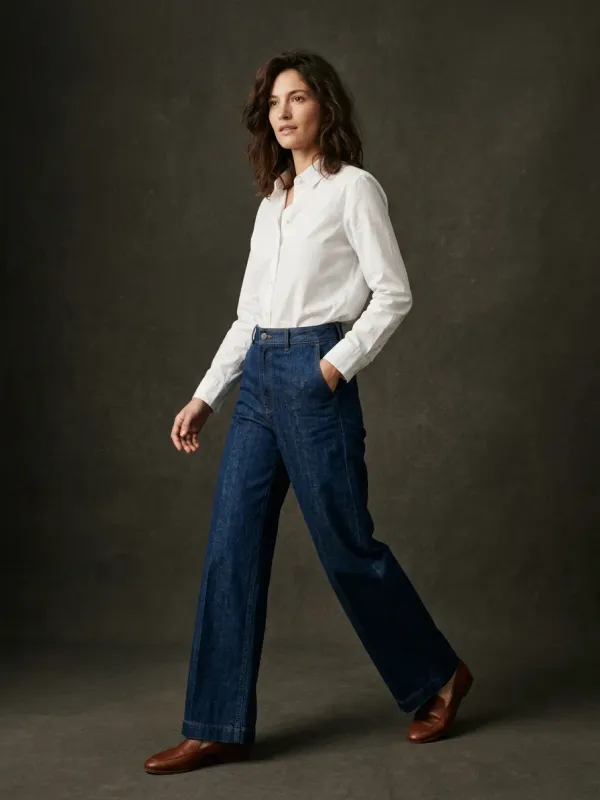
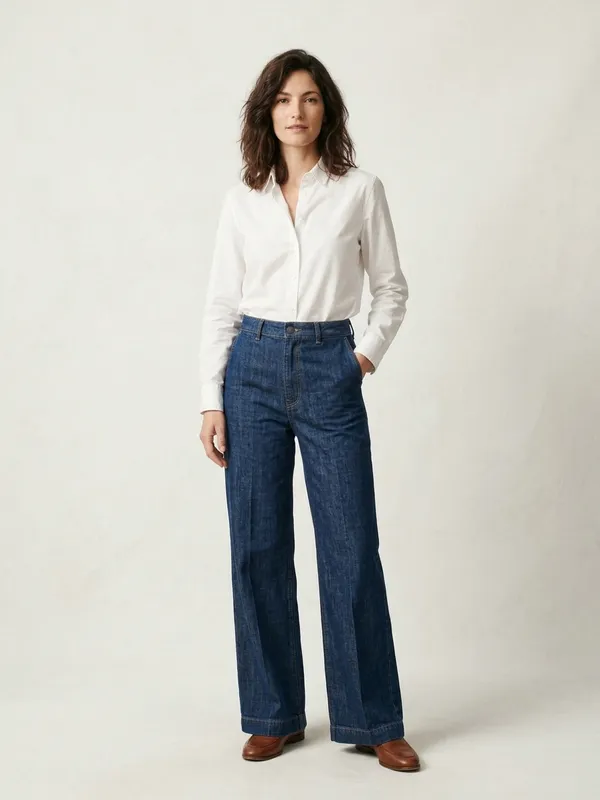
A listing usually leads with a clean image: the garment on white, or worn by a model in a studio. Both can be made from the front photo you just took. The pair below is our own demo: the photo in, worn on location, and the on-model shot that came back from it.
What you keep from your photo is the color, the print, the fabric as the camera saw it and the cut. What is generated is the model, the pose, the light, and the drape on the body. That is why the steps above matter: the tool can only keep what your photo shows.
What a good photo cannot be replaced by
Be honest with yourself about what any edit, by hand or by AI, can and cannot recover.
- A blurred or dark photo stays a weak source. Shoot it again in better light rather than hoping an edit sharpens it.
- A color shot under a warm bulb is copied as it is. Fix the light, not the file.
- The fabric close-up should be a real photo. A buyer judges the cloth by it, and a generated texture is an estimate.
- A back you did not photograph is generated if you ask for one. For a back you can rely on, photograph it.
- Some marketplaces ask that listing photos show the actual item. Read the rules of yours before you publish a generated image; our page on Etsy walks through one example.
What finishing the photo costs
Shooting costs nothing. Turning the photo into an on-model shot or a white packshot here is free for your first 2 renders, shared across all our tools, with no account and no card. After that a render is 5 credits ($0.50); a free account opens with a one-time welcome of 50 credits, then gets 15 credits a month. What studios charge for the same images is set out, with their own published prices, in our cost guide linked below.
Put your best front photo on a model
Drop the photo you just took: it comes back worn by an AI model in a clean studio shot, with its color, print and cut kept. The free renders need no account.
Questions
Do I need a lightbox or studio lights?
No. Daylight from a large window, out of direct sun, is softer and truer than most beginner lights. A sheet of white card opposite the window is the only extra worth having.
What is the best time of day to photograph clothes?
Late morning or early afternoon on an overcast day, when the light through a window is bright, even and neutral. Avoid direct sun, which makes hard shadows, and the last hour before sunset, which turns whites orange.
Should I use portrait mode?
No. Portrait mode blurs edges it decides are background, often the sleeves and the hem. Use the main lens in the normal photo mode, with filters off.
How many photos does a clothing listing need?
At least five: the front, the back, a close-up of the fabric, a detail such as the label or the buttons, and one that shows the fit or the scale. Check how many your marketplace allows and which one it shows first.
Can AI fix a bad photo of my clothes?
It can change the setting: remove the background, put the garment on a model or on an invisible mannequin. It cannot recover a color shot under the wrong light or a detail the photo lost to blur. Start from a good photo.
Is it free to turn my phone photo into a product shot?
Your first 2 renders are free, shared across all our tools, with no account and no card. Then 5 credits ($0.50) a render; a free account opens with a one-time welcome of 50 credits, then gets 15 credits a month.