Can AI show my scarves in another color for free?
Yes. Drop one photo of your scarf, pick a color and see it recolored with its fabric and shape kept, free with no account, as an approximation of the color.
Drop your scarf photo here
or choose one from your phone or computer
JPEG, PNG or WebP. Any phone photo works.
2 of 2 free renders left across all tools, one color each.
Your photo is stored for 30 days, then deleted. It is used to make your image, and by the studio if you continue there. If you order a pattern from it, a copy is kept with your order.
On this platform the AI does the design and visualisation work and a human pattern maker cuts the pattern. That split is deliberate. How the pattern is made.
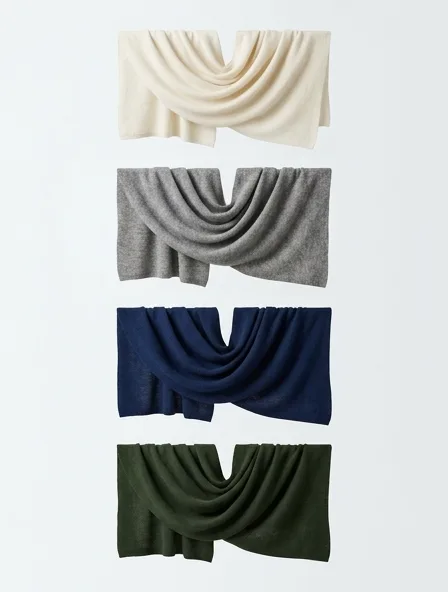
Colorway for a scarf
A colorway set shows the same scarf in several colors, cut and fabric unchanged, so a range can be chosen before anything is dyed.
Choose the colorways of a scarf with its hardware in mind: gold, silver or black metal changes which colors work.
Silk twill and cotton voile take color differently, so one shade will not match exactly across both.
What you get
The same scarf in several colors side by side, cut and fabric kept, so a range can be judged at a glance.
Step by step
- Start from one settled image of the scarf.
- Choose a small range first, three to five colors.
- Keep one neutral in the range as an anchor.
- Ask the mill for lab dips of the colors you keep, since a screen is never a dye spec.
A common mistake
Taking a screen color to production: color on a screen is an approximation, and every cloth takes dye differently.
How the usual cloths for scarves take color
- Silk twill
- Deep, luminous color
- Woven lambswool
- Even color, heathers from blended fibres
- Woven cashmere
- Soft, natural shades
- Cotton voile
- Takes reactive dye; colors stay true
Typical trade ranges, not one mill's figures: confirm them with your mill.
The scarf, in numbers
- Defining details
- Hand-rolled or fringed edges, square or long format, print or weave
- Cloth needed
- about 0.3 to 1.8 m of 150 cm cloth
Typical figures for an adult size M.
Also: how the studio works, prices and questions and answers.
Start free