Can AI make a video of my sandals from a photo?
Yes. Photograph one sandal side-on, or the pair from above, and the tool turns it into a 5-second vertical clip: the sandal rotating on a stand so every strap and the footbed show, or worn on a walk. It is made from the photo, so the straps you see are the straps you sell.
Your first video is free. Then 40 credits a 5-second clip.
 Photo
PhotoAn example clipMade in the studio: one generated still (5 credits), then a 10-second clip from it (80 credits), 85 credits in all. This page makes 5-second clips at 40 credits, and every clip depends on its photo.
Drop your sandal photo here
or choose one from your phone or computer
JPEG, PNG or WebP. Any phone photo works.
40 credits a clip: 5 seconds, 1080p, no sound.
Your first video is free: one on a free account, the same one as in the studio, or without an account one per connection every 30 days.
Your photo is stored for 30 days, then deleted. It is used to make your image, and by the studio if you continue there. If you order a pattern from it, a copy is kept with your order.
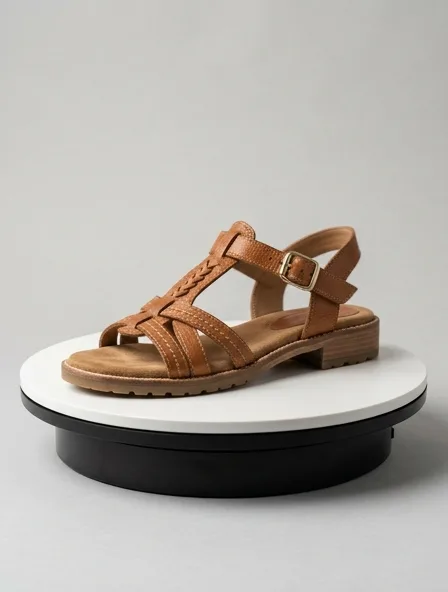
For sandals, the turn usually beats the walk
A sandal is mostly air. What the customer needs to see is where the straps cross, how the buckle closes and how thick the footbed is, and a foot in motion hides half of it. A slow rotation shows the toe straps, the heel strap and the sole edge in five seconds, which is exactly what a still product photo cannot.
Keep the walk for the campaign: a model on a terrace or a beach, the sandals as part of a summer look. It sells the mood; the turn sells the pair.
The photo that makes a clean sandal clip
- One sandal, side profile, toe to the left, on a plain light surface. For a flat slide, add a second photo from above so you can choose which one animates better.
- Stuff the straps lightly with tissue so they stand in the shape of a foot instead of lying flat.
- Show the footbed: cork, leather and molded rubber move differently in the light, and the clip keeps the texture it can see.
- If the buckle is metal, shoot it in shade. A hard reflection in the photo becomes a flickering one in the video.
Where sandal clips need a second look
Thin straps are the hard part. In a turn, two straps that cross can merge for a few frames or swap which one is on top; on a walk, the foot can slide through a strap. Watch the clip once at full speed and once frame by frame before you publish, and redo it with the turn if the walk tangles.
Bare feet are generated. If your brand needs a particular pedicure, skin tone or no feet at all, the turn on an invisible stand is the safer choice.
Questions
Is a sandal video free?
The studio gives a guest, and every new account, one free video to start. On this page a clip costs 40 credits with an account; $5 buys 50 credits.
Can it animate a pair, not just one sandal?
Yes, if the photo shows the pair. The turn keeps them side by side; the walk puts them on two feet. One sandal photographed side-on gives the cleanest turn.
Will the clip change my strap colors?
It is told to keep the color, material and construction from your photo. Two close shades, such as tan and cognac, can drift toward one another; photograph them in daylight and compare the clip with the pair.
Can you make the pattern for my sandals?
No. Sandals are built by a footwear maker around a last and a sole, outside our pattern service, which drafts garments. The clip and the photos are for selling and for your maker’s brief.