Create with AI
How can I design jeans with AI?
Describe your jeans in plain words in the studio and get a photorealistic image of the design, with no design software and no sample.
On this platform the AI does the design and visualisation work and a human pattern maker cuts the pattern. That split is deliberate. How the pattern is made.
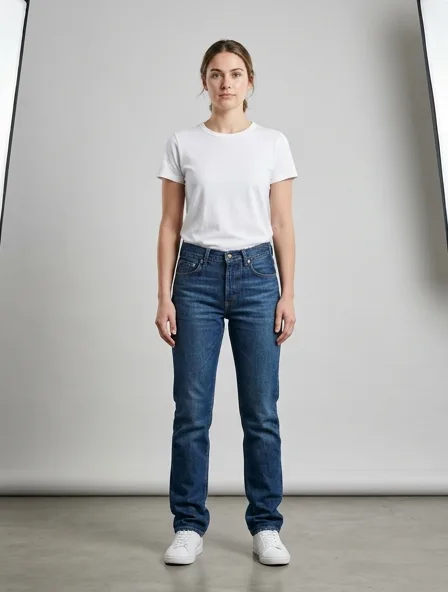
Design for a jeans
A design render turns a written description of your jeans into a photorealistic image, so a silhouette, a neckline or a pocket can be judged before anyone cuts cloth.
Name the length, the fit and the neckline first; those three decide whether a jeans reads right on a body.
What you get
A photorealistic image of the jeans, back in seconds, that you can refine in the same conversation.
Step by step
- Say who the jeans is for and where it will be worn.
- Give the cloth, the color and the one detail that matters most: a neckline, a pocket, a hem.
- Ask for one change at a time and compare the versions.
- When the design is settled, keep it in a collection and move on to photos or a pattern.
A common mistake
Describing ten details at once: the image honours some and drops others. Two or three per request work better.
Cloths to name when you describe jeans
- Cotton twill
- A classic pairing, 200 to 320 g/m²
- Rigid denim
- A classic pairing, 340 to 470 g/m²
- Midweight linen
- A classic pairing, 180 to 260 g/m²
- Tropical wool
- A classic pairing, 220 to 300 g/m²
Typical trade ranges, not one mill's figures: confirm them with your mill.
The jeans, in numbers
Jeans are five-pocket trousers in denim: front pockets with a coin pocket, back patch pockets, a yoke and a zip or button fly. The rise and the shape of the leg define the fit.
- Defining details
- Five pockets, back yoke, rivets, zip or button fly, felled seams
- Key measurements
- Waist, hip and inside leg
Typical figures for an adult size M. The pattern tier is set from the real piece count when you order.
Also: how the studio works, prices and questions and answers.
Start free