Built for Fashion Education
Which AI Tools Can Fashion Students Use?
For coursework and portfolios, the useful ones turn a photo or a sketch into the documents tutors and factories expect: a clean flat sketch, the garment on a model, colorways and views from every angle. Use them to present and iterate; keep the pattern cutting and the construction as your own skills.
Last updated:
On this platform the AI does the design and visualisation work and a human pattern maker cuts the pattern. That split is deliberate. How the pattern is made.
Turn a photo of your sample into a flat sketch
Photograph a toile, a finished piece or a reference garment and get a clean technical flat to drop into a portfolio page or a spec sheet.
Two free renders, shared across all our tools. No account.
Drop a garment photo here
or choose one from your phone or computer
JPEG, PNG or WebP. Any phone photo works.
Your photo is stored for 30 days, then deleted. It is used to make your image, and by the studio if you continue there. If you order a pattern from it, a copy is kept with your order.
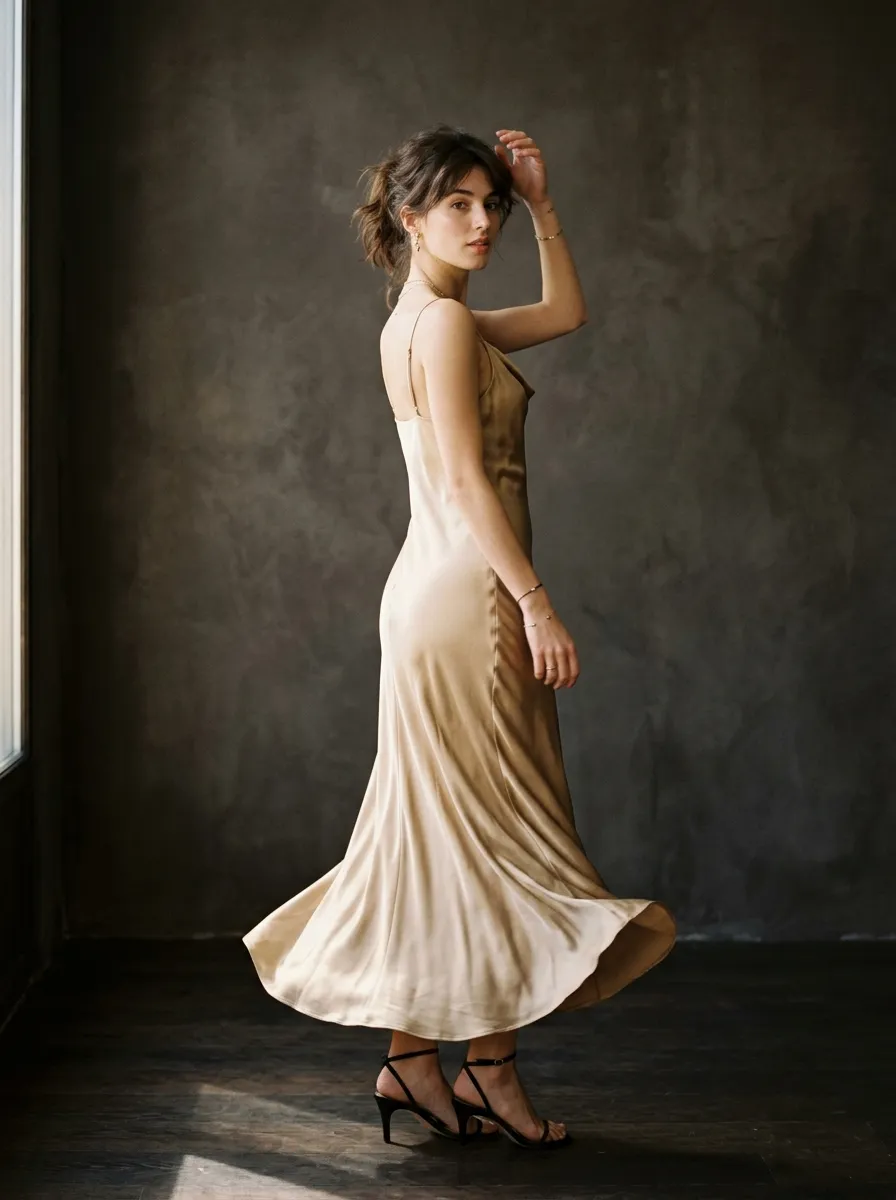
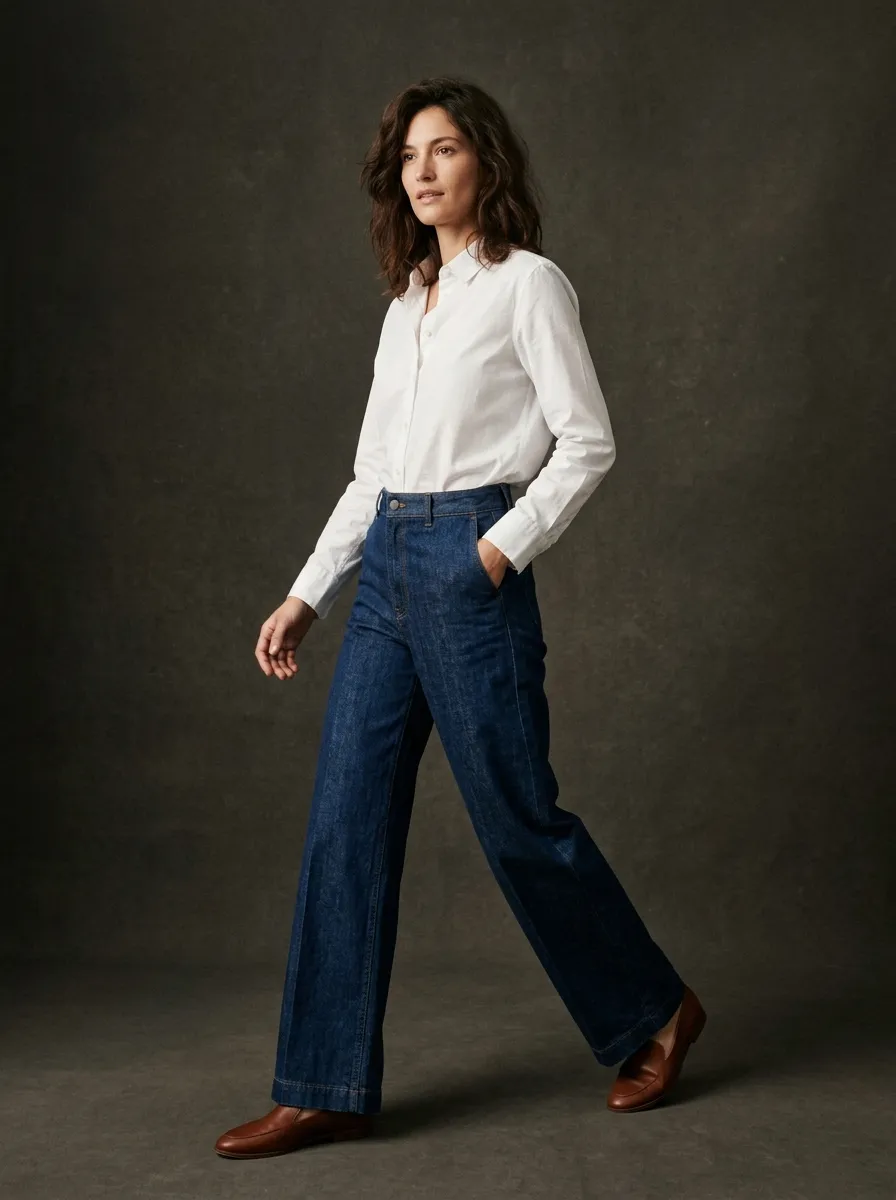
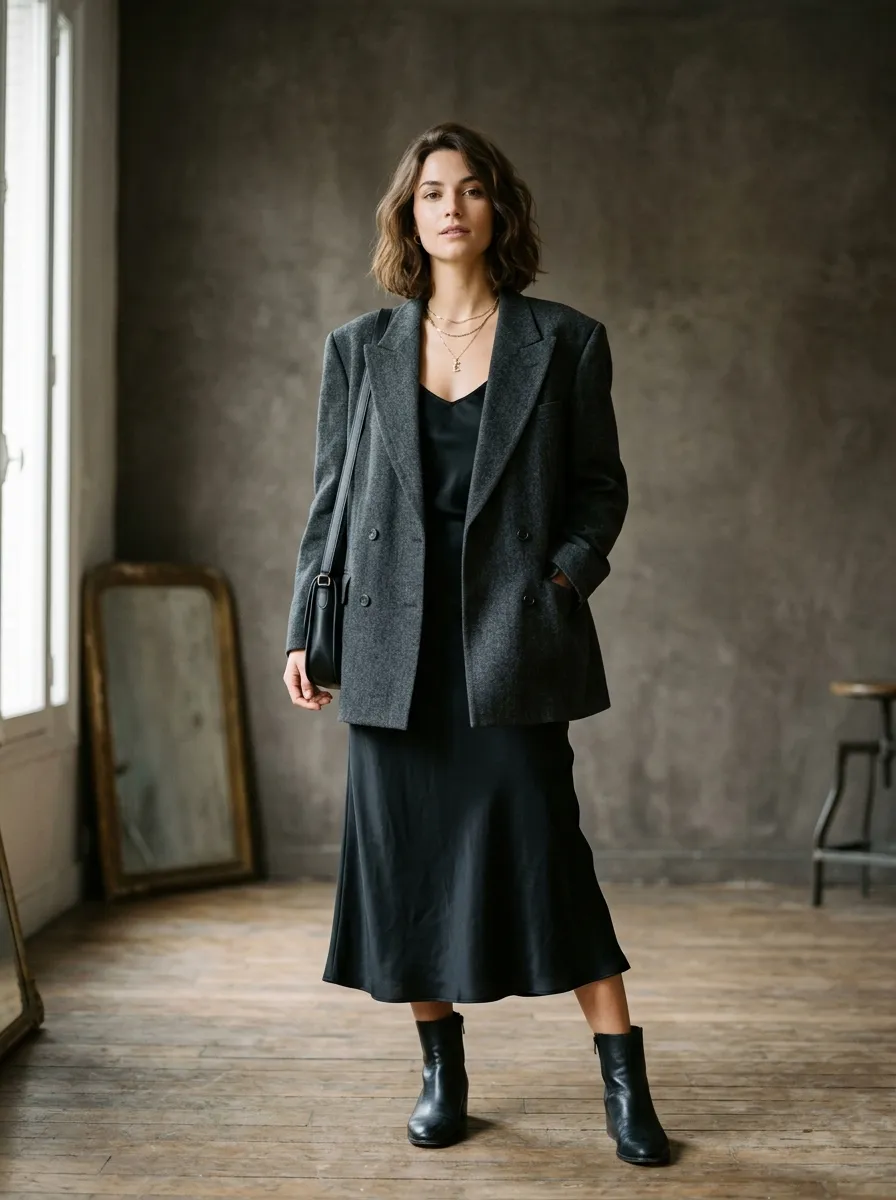
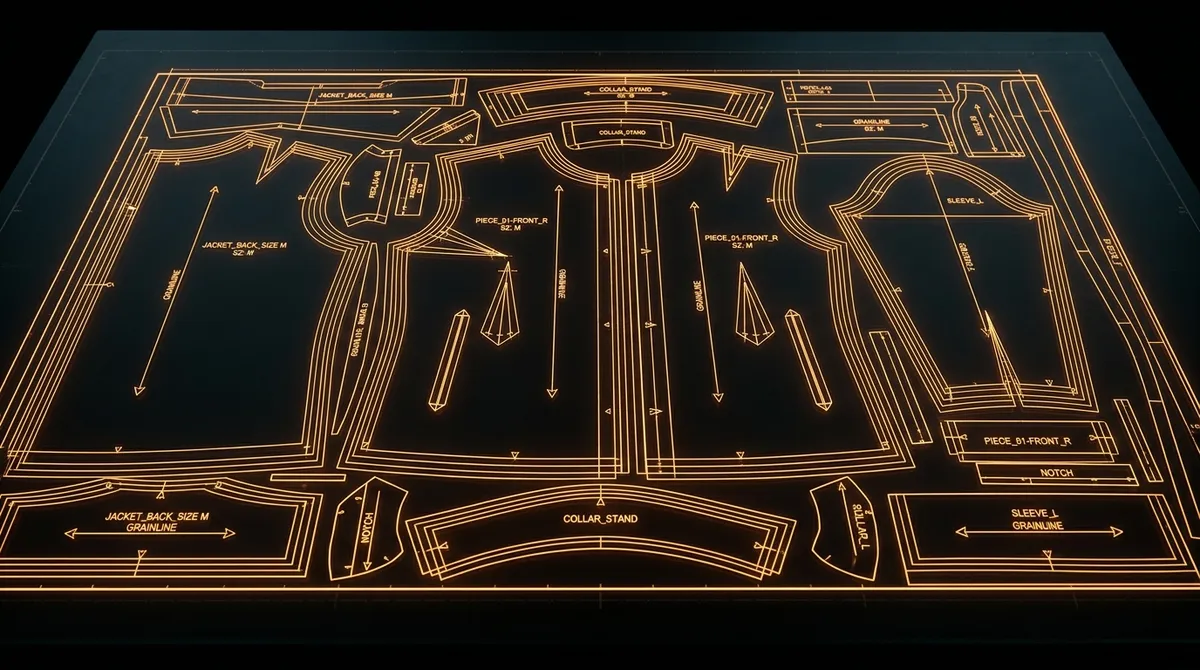
How AI Is Transforming Fashion Education
Fashion education has always been expensive. Between fabric yardage, sewing supplies, studio rentals, photography sessions, and specialized software subscriptions, a single semester can cost thousands of dollars in materials alone, and that is on top of tuition. For students at community colleges, online programs, or schools without lavish facilities, the gap between what they can imagine and what they can actually produce is enormous.
AI design tools are closing that gap. Not by replacing the skills you learn in school: pattern drafting, draping, sewing, textile science, but by giving you a way to visualize, iterate, and present your ideas at a level of quality that previously required professional resources. A student with a laptop and an internet connection can now generate photorealistic product images, explore colorway variations across an entire collection, practice tech pack documentation, and build a portfolio that stands alongside graduates from the most well-funded programs in the world.
This is not about replacing hand skills. The student who can drape muslin on a form, draft a sloper from body measurements, and sew a clean welt pocket will always have an advantage. But the student who can also use AI to explore 50 design directions in an afternoon, present concepts as polished renders, and communicate manufacturing intent through AI-assisted tech packs? That student is operating at the speed and quality level the industry now expects.
The Challenges Every Fashion Student Faces
Expensive Materials
A single project can require $200-500 in fabric, notions, and interfacing. Experimenting with different textiles, silk versus cotton versus wool, means buying yardage you might never use. Most students default to cheap muslin not because it is the right choice, but because it is the only one they can afford.
Limited Studio Access
School studios have hours, waitlists, and shared equipment. You cannot drape at 2 AM when inspiration strikes if the building is locked. Photography studios are even harder to book, many programs give students one or two sessions per semester to shoot their entire portfolio.
Time Constraints
Between coursework, part-time jobs, and the sheer time required to sew even one garment, fashion students are perpetually under pressure. Sketching 30 concepts by hand takes days. Sewing three muslin prototypes takes weeks. There is never enough time to explore as broadly as you want to.
Portfolio Quality Expectations
Employers and graduate programs expect portfolios with professional photography, clean layouts, and polished presentation. But most students cannot afford a photographer, do not have access to models, and are competing against graduates from programs with six-figure budgets for student resources.
AI for Design Exploration: 50 Concepts in an Hour
The earliest phase of any design project is the messiest: you are exploring directions, testing silhouettes, combining references, and trying to find the concept that feels right. Traditionally, this means hours of sketching, mood board assembly, and mental visualization. AI compresses this phase dramatically.
With Smasher Studio, you describe a concept in natural language: "oversized deconstructed trench coat in raw-edge wool, exposed seams, dropped shoulder, knee length" and get a photorealistic render on the first pass. Change the fabric to waxed cotton. Make it cropped. Add a storm flap. Remove the belt. Each variation takes 15 seconds instead of 15 minutes. In a single studio session, you can explore more directions than you would in a week of hand sketching.
This does not make sketching obsolete. Hand drawing remains essential for understanding proportion, developing your eye, and communicating with pattern makers. But AI exploration lets you cast a wider net before committing your limited time and materials to physical development. You sketch the 5 best directions by hand after seeing 50 AI variations, instead of sketching 10 and hoping one of them works.
For coursework with tight deadlines, this is transformative. Your professor asks for 20 concept sketches by Thursday. You can generate 40 AI renders on Tuesday, select the strongest 20 directions, and spend Wednesday refining them with hand sketches and technical notes. The quality of your exploration goes up while the time pressure goes down.
AI for Portfolio Building: Professional Quality Without the Budget
Your portfolio is your resume. It is the single most important document in your fashion career, and its quality determines whether you get the internship, the job, or the graduate school acceptance. The problem is that professional portfolio photography requires a photographer ($200-500 per session), a model ($100-300), studio space ($100-500), and post-production editing ($50-200). A single professional shoot for five looks can cost $1,000-2,000: money most students simply do not have.
AI visualization changes the equation entirely. You can generate photorealistic product images showing your designs on models, as flat lays, in lifestyle settings, and as editorial compositions. Each image costs approximately $0.50 in credits. For the price of a single studio hour, you can create an entire portfolio of professional-quality images spanning multiple collections.
The key is using AI renders strategically alongside your physical work. Your portfolio should still include photos of actual garments you have constructed; this demonstrates technical skill. But AI renders can fill critical gaps: showing unrealized concepts, demonstrating range across garment categories you have not had time to sew, presenting your designs in professional photography contexts, and visualizing full collections when you could only afford to produce three pieces physically.
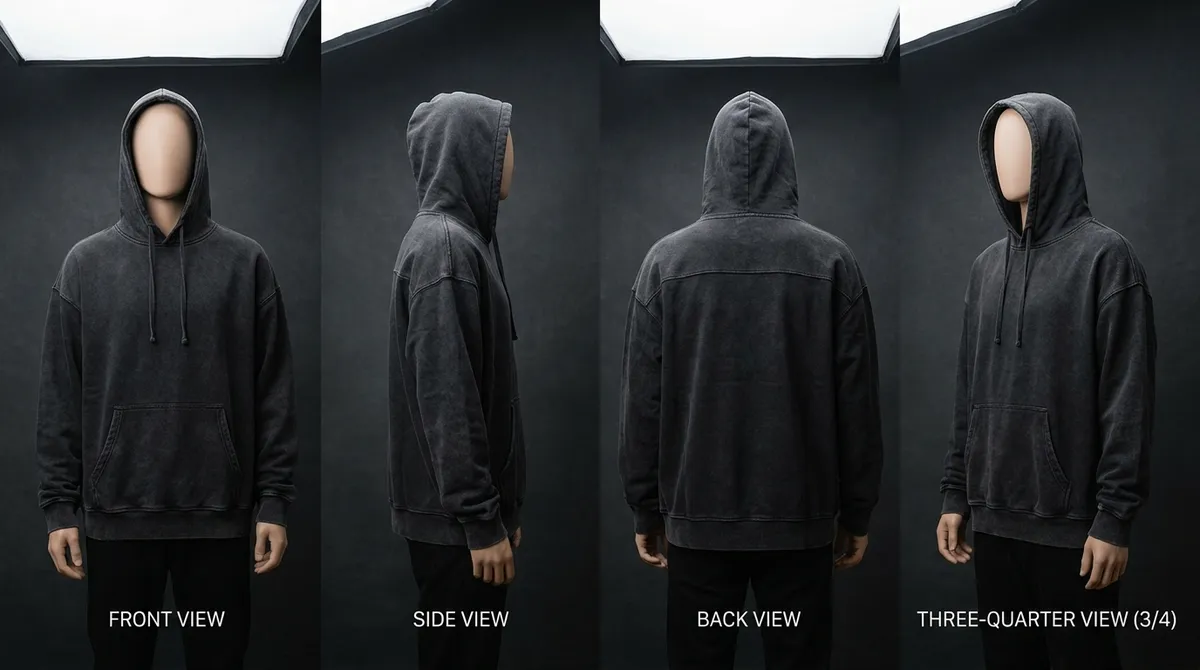
Multi-angle generation is particularly valuable. Employers want to see front, back, and side views of every design. With AI, you can generate consistent views of the same garment from multiple angles in a single session, creating the kind of comprehensive presentation that previously required multiple shoots with careful art direction.
AI for Tech Pack Practice: Learn Industry Documentation
Tech packs are the language of manufacturing. Every garment that goes into production requires a tech pack: a document specifying measurements, construction details, materials, hardware, colorways, labeling, and packaging. Despite their importance, many fashion programs spend minimal time teaching tech pack creation because the process is tedious and the software is expensive.
Smasher Studio's flat sketch and garment-read tools let you practice the first half of this skill: photograph a garment and compare the flat and the construction read with your own. A full factory tech pack, with measurements, bill of materials and construction notes, is written by a professional pattern maker as an add-on to a pattern order. None of this replaces learning to build tech packs from scratch; it gives you examples to study and a way to practice the descriptive precision that manufacturing partners require.
For students heading into product development, merchandising, or technical design roles, this practice is invaluable. You learn the vocabulary (grainline, seam allowance, interlining, binding finish), the level of detail manufacturers expect, and the difference between a spec that gets your garment made correctly and one that results in expensive samples gone wrong.
AI for Fabric and Material Study
One of the hardest things to teach in fashion school is fabric intuition: the understanding of how different textiles behave, drape, stretch, and interact with light. Traditionally, you develop this by handling fabric in person: visiting textile showrooms, ordering swatch books, and sewing samples in different materials. This is expensive and slow.
AI fabric simulation lets you visualize the same garment in dozens of different fabrics side by side. Take a blazer design and see it in Italian wool suiting, Japanese selvedge denim, crinkled silk charmeuse, boiled wool, and technical nylon, all without buying a single yard. The AI renders the characteristic drape, texture, sheen, and weight of each fabric, giving you a visual reference for how material choice transforms a design.
This is not a substitute for touching fabric. You still need to develop the tactile knowledge that comes from handling textiles. But AI fabric simulation accelerates your visual education and helps you make informed material choices before committing money to yardage. When you walk into a fabric store, you will already have a strong sense of what you want because you have seen your design rendered in 20 different options.
For textile science courses, this is a powerful study tool. Generating the same garment in woven versus knit, natural versus synthetic, and lightweight versus heavyweight fabrics creates visual case studies you can reference throughout your education.
How Students Use Smasher Studio: Step by Step
Describe Your Design
Type a natural language description of your garment concept. Include fabric, color, silhouette, details, and styling. The more specific you are, the more accurate the result. Example: "Relaxed-fit linen jumpsuit in terracotta, wide leg, adjustable shoulder straps, patch pockets at hip."
Generate & Review
The AI generates a photorealistic render in 10-30 seconds. Review the result and decide what to change. Maybe the proportions need adjusting, or you want to see it in a different fabric. Every generation costs 5 credits.
Iterate & Refine
Ask for modifications in the same conversation. "Make the legs narrower. Change the fabric to heavyweight cotton twill. Add contrast topstitching." The AI builds on your previous generations, maintaining design continuity.
Export & Present
Download your final images for portfolios, presentations, mood boards, or social media. Generate multi-angle views for comprehensive design documentation. Organize your work into collections within the platform.
Pricing That Works for Student Budgets
Smasher Studio uses a credit-based pricing model. One credit equals $0.10. Image generation costs 5 credits ($0.50). A colorway costs credits a color. Video generation starts at 40 credits for a 5-second clip. Production patterns are paid per garment, from $29, with the factory tech pack as a $10 add-on.
Free
$0
15 credits/month
~3 images/month
Resets monthly. No card required.
Creator
$19/mo
350 credits/mo
~70 images/mo
Best for most students.
Studio
$49/mo
900 credits/mo
~180 images/mo
Thesis projects & heavy use.
Pro
$99/mo
2,000 credits/mo
~400 images/mo
Freelance & high volume.
For most students, the free tier is sufficient for initial exploration. During portfolio crunch periods or thesis development, the Creator plan at $19 per month provides enough credits for serious production work, and it costs less than a single yard of mid-range silk.
Traditional Student Costs vs. AI-Assisted Design
| Expense Category | Traditional Cost | With AI Assistance |
|---|---|---|
| Fabric for samples & experimentation | $500 - $2,000/semester | $0 for AI exploration; physical sampling only for final selections |
| Portfolio photography (per project) | $200 - $500/project | $0.50/image ($2.50 for 5 images) |
| Model fees | $100 - $300/session | $0.50 per on-model image |
| Studio rental | $100 - $500/session | $0.50 per image, from any location |
| Tech pack software (Techpacker, etc.) | $50 - $200/month | $10 add-on to a pattern order |
| Colorway development (dye lots, swatches) | $50 - $200/project | undefined credits a color |
| Total per semester (4 projects) | $2,000 - $8,000+ | $0 - $76 (free tier to Creator plan) |
AI does not eliminate all material costs: you will still sew physical samples for construction classes and final presentations. But it dramatically reduces the cost of the exploration, visualization, and documentation phases that consume the majority of student budgets.
Real Use Cases: Where AI Fits in Fashion Education
Weekly Coursework
When your professor assigns 15 concept sketches for Monday, AI lets you explore broadly before committing to hand-drawn refinements. Generate 30 variations of your concept on Friday, select the strongest directions, and spend the weekend developing them with traditional techniques. The result is better work in less time.
Thesis and Final Collection
Your thesis collection might be 8-12 looks, but you only have the budget to sew 3-5. Use AI to visualize the complete collection, generate cohesive lookbook imagery for all pieces, and present the full scope of your vision. Your review panel sees the complete creative direction, not just the pieces you could afford to produce.
Portfolio for Job Applications
Employers want to see range: menswear, womenswear, accessories, different garment categories, different aesthetics. AI lets you demonstrate range without having physically produced every category. Supplement your constructed garments with AI-rendered concepts that show your design thinking across the full spectrum.
Freelance Preparation
Many fashion graduates go freelance immediately. Before you have clients or a production track record, AI-generated portfolio pieces can demonstrate your capabilities to potential clients. Show them what you can create; the designs are yours, the AI is just the visualization tool, and use those early commissions to fund physical production.
What You Can Generate with Smasher Studio
Design Concepts
5 credits
Photorealistic renders of any garment concept from a text description.
Multi-Angle Views
16 credits for 4 views
Consistent front, back, side, and detail views of the same design.
Production Pattern
from $29
A DXF pattern cut by a professional pattern maker; the factory tech pack with measurements and BOM is a $10 add-on.
Colorway Exploration
undefined credits a color
See your design in 6-12 different color palettes, side by side.
Fabric Simulation
5 credits
Visualize the same garment in different textiles, silk, denim, wool, nylon.
Video Content
from 40 credits
Short video clips of your designs for presentations and social media.
Skills AI Will Not Replace (Keep Learning These)
AI is powerful for visualization and exploration, but it cannot teach you the foundational skills that make a great fashion designer. These are the competencies you should invest your school years in mastering, because no technology replaces them:
- Pattern drafting and draping. Understanding how flat fabric becomes a three-dimensional garment is the intellectual core of fashion design. AI can visualize the result, but it cannot teach you why a princess seam creates a different fit than a dart.
- Sewing and construction. The tactile knowledge of how fabric behaves under a needle, how to ease a sleeve cap, how to press a seam; this comes only from doing. Build garments. Rip them apart. Build them again.
- Material science and textile knowledge. Knowing that silk organza holds structure while silk charmeuse drapes fluid, or that polyester pills and cotton breathes; this requires physical experience with textiles that no render can replicate.
- Design thinking and cultural awareness. Understanding trends, subcultures, historical references, and the social context of clothing is what separates a designer from a technician. AI can render your ideas, but the ideas themselves come from your education, observation, and lived experience.
- Fit and proportion on the body. How a garment sits on different body types, how to adjust for posture, how to balance visual weight: these skills develop through fitting sessions, not screen time.
The strongest graduates in 2026 will be those who combine deep craft knowledge with fluency in AI tools. The craft gives you credibility and understanding. The AI gives you speed and reach.
Frequently Asked Questions
Is AI replacing fashion designers and making fashion school pointless?+
Can I use AI-generated images in my fashion school portfolio?+
How much does Smasher Studio cost for students?+
What can I actually generate with AI as a fashion student?+
Will professors and employers take AI-generated work seriously?+
How is this different from using Midjourney or DALL-E for fashion?+
Can I use Smasher Studio for my fashion thesis or final collection?+
Do I need any technical skills to use Smasher Studio?+
Related Guides
How to Start a Fashion Brand
From concept to launch: the complete guide for emerging designers.
How to Make a Tech Pack
Everything you need to know about creating manufacturing-ready documentation.
AI Fashion Design
The complete guide to using AI in your fashion design workflow.
How to Create a Lookbook
Build editorial-quality lookbooks for your collection or portfolio.
Your Ideas Deserve Better Than a Budget Limitation
Fashion school teaches you to think like a designer. AI tools let you show the world what you are thinking. Start with a one-time welcome of 50 credits when you create your account, then 15 credits a month, no credit card, no commitment, no risk.