Can AI make a video of my gloves from a photo?
Yes. Lay the pair flat, photograph it from above, and choose how it moves: worn by a model walking, or turning slowly on an invisible stand. You get a 5-second vertical clip for a product page, a story or an ad, made from that one picture.
Your first video is free. Then 40 credits a 5-second clip.
 Photo
PhotoAn example clipMade in the studio: one generated still (5 credits), then a 10-second clip from it (80 credits), 85 credits in all. This page makes 5-second clips at 40 credits, and every clip depends on its photo.
Drop your gloves photo here
or choose one from your phone or computer
JPEG, PNG or WebP. Any phone photo works.
40 credits a clip: 5 seconds, 1080p, no sound.
Your first video is free: one on a free account, the same one as in the studio, or without an account one per connection every 30 days.
Your photo is stored for 30 days, then deleted. It is used to make your image, and by the studio if you continue there. If you order a pattern from it, a copy is kept with your order.
Hands move; gloves have to keep up
A glove only looks like a glove when a hand is in it. Laid flat it reads as a shape cut from leather; worn, the knuckles, the wrist and the way the cuff opens tell the customer about fit and suppleness. Of the two motions, the walk puts the gloves on hands that swing and flex, and the turntable shows the pair as an object, back and palm in turn.
- The walk: a model in a coat, gloves on, arms moving naturally. Best for winter campaigns and anything sold as part of an outfit.
- The turntable: the pair on an invisible form, rotating. Best for the product page, where she wants to see the palm, the points on the back and the cuff closure.
- For either, ask in the photo for what you want kept: a contrast lining folded back at the cuff, a snap, a perforated back.
One photo, set up for the clip
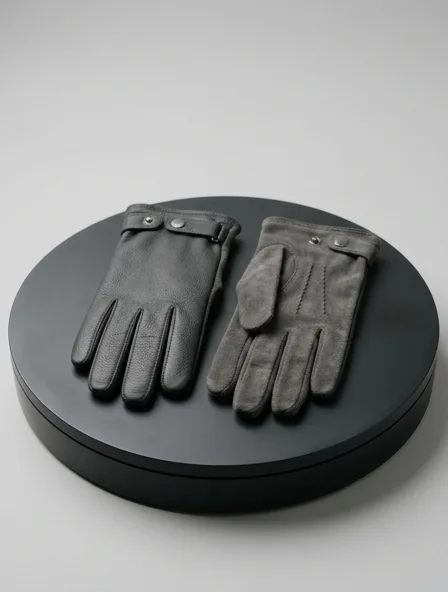
Place the gloves on a plain surface, one showing the back of the hand and one the palm, thumbs pointing the same way, in diffuse daylight. Fill them lightly with tissue so the fingers are round instead of flat; a flat glove makes a flat video.
Keep the stitching visible. On a leather glove the three lines of points on the back and the fourchettes between the fingers are the craftsmanship people pay for, and the clip can only keep what the photo shows.
What still goes wrong with glove clips
Video models are better with sleeves than with fingers. Watch the result for these before you post it.
- Finger count. A hand in motion can briefly gain or lose a finger. If it happens, run the turntable instead: a glove that is not on a hand cannot grow one.
- Knit texture. A fine knit or a cashmere glove can shimmer from frame to frame as the stitches are redrawn. A heavier rib or a smooth leather holds steadier.
- Hardware and logos. Small press studs and embossed marks can soften or drift. Keep them large and sharp in the photo, and do not rely on a clip to show a tiny logo.
Questions
How much does a glove video cost?
Your first video is free. After it, a 5-second clip is 40 credits and needs an account; the smallest top-up, $5 for 50 credits, covers one clip.
Which works better for gloves, the walk or the turntable?
The turntable for detail and accuracy, since nothing moves inside the glove. The walk for mood, as long as you check the fingers frame by frame.
Can I animate knitted gloves?
Yes, with care: chunky knits keep their texture better than fine gauge ones, and a dark yarn hides small flicker. Photograph them filled so the fingers have volume.
Do you make patterns for gloves?
No. Gloves are cut by hand or knitted to shape by specialist makers, and our pattern service drafts garments only. Use the clip to sell and to brief your maker.